

How to Write Instagram Captions: 15 Templates + Examples
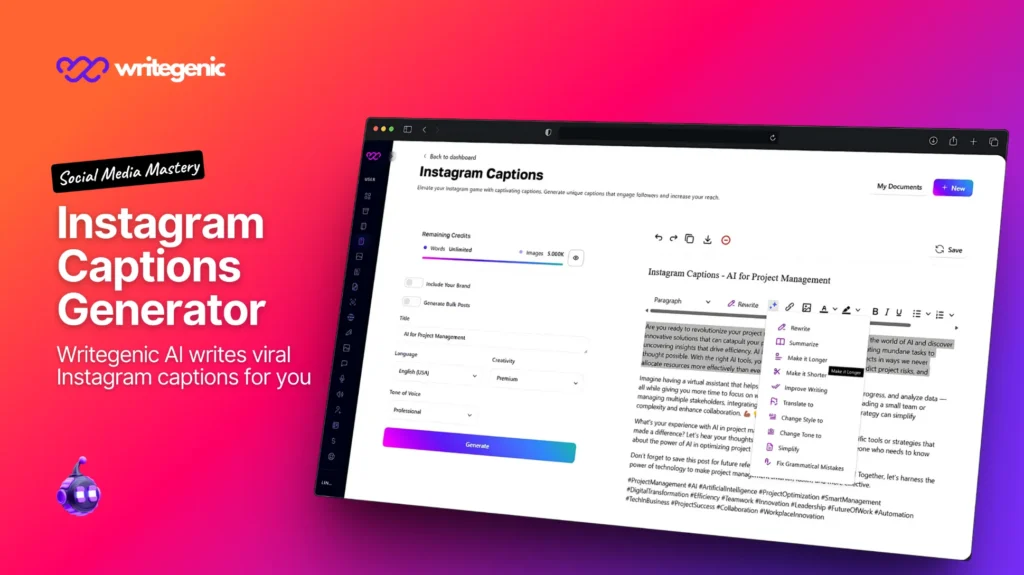
Quick answer: Put your hook in the first 80 characters, because that’s where the feed cuts you off. Write the rest in the words people actually search — Instagram now matches search queries against captions. Add one clear call to action, 3 to 5 specific hashtags, and stop.
Table of Contents
One thing most caption guides still get wrong: they treat the caption as decoration on the photo. In 2026 it’s the searchable part of your post. That changes how you write it.
Why Do Captions Matter More in 2026 Than They Used To?
Because captions inherited a job hashtags used to do.
Instagram search now matches what people type against usernames, bios, captions, and locations. Not just hashtags. Hootsuite’s 2026 analysis found keyword-rich captions generated around 30% more reach and twice as many likes compared to hashtag-heavy posts.
At the same time, hashtags lost their reach role. Adam Mosseri, the Head of Instagram, has said plainly that hashtags are not a way to get more distribution. Instagram also cut the hashtag allowance to around five per post from late 2025.
Put those together and the picture is simple. The thirty hashtags people used to paste under every post did very little. The caption — the actual sentences — is now the text Instagram reads to decide what your post is about and who should see it.
So a caption has two audiences: the person scrolling, and the search index. Good captions serve both. That’s the whole idea behind this guide.
What’s a Good Instagram Caption?

A good Instagram caption earns the tap in its first line, tells the reader something the photo can’t, and gives them one thing to do.
Three tests, and a caption needs all three:
| Test | Question |
|---|---|
| The hook test | Would the first 80 characters alone make someone tap “more”? |
| The addition test | Does it say something the image doesn’t already show? |
| The search test | Does it contain the words someone would type to find this? |
A weak caption:
New drop! 🔥 Link in bio 🙌 #coffee #coffeelover #coffeetime #coffeeaddict #barista #espresso #cafe #morning #beans #brew
Fails all three. The hook says nothing. It adds nothing to the photo. And the searchable words are trapped in hashtags nobody follows.
A good caption:
This roast took us four tries to get right.
It’s an Ethiopian single origin — light roast, blueberry and citrus, and it falls apart if you brew it too hot. 92°C, pour over, 3 minutes.
Roasted in Manchester on Mondays, shipped Tuesdays.
Which brew method do you use? I’ll tell you the ratio.
#EthiopianCoffee #LightRoast #PourOver
Hook that creates curiosity. Real information. And it contains Ethiopian, light roast, pour over, Manchester — all things a person might genuinely search.
What Is the Instagram Captions Format? The 5-Part Structure
Every caption that works has these five parts. Not every caption needs all five, but the order matters.
1. Hook — first 80 characters. One line. Must work alone, because for most people it’s all they’ll see.
2. Line break. A blank line. This is what makes the “more” tap worth it visually.
3. Body — 2 to 5 short blocks. One idea each, with a blank line between. This is where your searchable words live.
4. Call to action — one line. One thing, not three.
5. Hashtags — 3 to 5, at the end. Specific ones. See the hashtag section below.
Template:
[HOOK — under 80 characters, works alone]

[Body block 1 — the useful detail]

[Body block 2 — the context or story]

[ONE call to action]

#Specific #Niche #Branded
The part people skip is the line break after the hook. Without it the caption renders as a wall of text and the truncation lands mid-sentence. With it, the hook stands alone and the rest is a clean reveal.
How Long Should an Instagram Caption Be?
The limit is 2,200 characters. Write your hook for the first 80.
Now the honest part, because published guides disagree and they’re all presenting a single number as fact.
Instagram truncates your caption in the feed and shows a “more” link. Where exactly it truncates varies. Different guides claim 80, 100, and 125 characters. They disagree because the cut-off depends on the rendered width of the text, the device, and even how long your username is — the username sits on the same line.
So there is no single correct number. Treat 80 characters as the safe floor: if your hook lands inside 80, it survives on every device. Then check your own posts on your own phone, which is the only test that reflects your actual account.
Target lengths by post type:
| Post type | Caption length |
|---|---|
| Reel | 80–300 characters — the video does the work |
| Single image, product | 300–600 characters |
| Carousel or educational post | 600–1,200 characters |
| Personal story or announcement | 800–1,500 characters |
| Anything | Never near 2,200 unless the story genuinely earns it |
Long captions are not the problem. Unearned long captions are. If someone reads to the end, length helped. If they bounce at line two, no amount of extra words fixed that — the hook did.
How Do You Write an Instagram Caption? Step by Step
Nine steps, and it takes about five minutes once you’ve done it a few times.
1. Write the body first, not the hook. Get the actual information down. Hooks are easier to write once you know what you’re hooking people into.
2. Write down the words someone would search. The product, the place, the method, the problem. These go in the body, in plain sentences.
3. Now write the hook. Pull the most surprising or specific line out of your body and put it at the top.
4. Cut the hook to under 80 characters. Count them. Most first drafts are twice that.
5. Add a blank line after the hook.
6. Break the body into one-idea blocks with blank lines between.
7. Add one call to action. One. Pick the single thing you actually want.
8. Add 3 to 5 specific hashtags at the end.
9. Read it aloud. If you stumble, so will the reader. This catches most awkward phrasing.
Step 1 is the one that changes everything. Writing the hook first produces generic hooks, because you don’t yet know what’s interesting. Writing it last produces hooks pulled from real detail.
Should Keywords Go in the Caption or the Hashtags?
This is the biggest practical change in caption writing, and it’s simple to act on.
Old thinking: put the discoverable words in hashtags. Current reality: put them in the sentences. Instagram search reads captions.
Before and after, same post:
| Before | After |
|---|---|
| “Obsessed with this 😍 #interiordesign #homedecor #inspo #interiors #design #home #decor #style #modern #cozy” | “A rental-friendly way to fake built-in shelving — peel-and-stick trim, no drilling, under £40. Small flat, London rental, took an afternoon.” |
The second version contains rental-friendly, built-in shelving, peel-and-stick, no drilling, small flat, London rental. Every one of those is something a real person types into Instagram search. The first version contains none of them in readable text.
How to find your keywords in two minutes:
- Open Instagram search and type a word about your post
- Look at the suggestions — those are real queries
- Pick two or three and write them into your caption as normal sentences
- Don’t force them. A keyword in an awkward sentence costs you the reader
The rule: if you’d put a word in a hashtag, put it in a sentence instead. You get the search benefit and the reader gets a better caption.
15 Instagram Caption Templates
Ready to adapt. Each shows the hook separated out so you can see the structure.
Food and drink
1. Dish reveal
This took four attempts and the third one was a disaster.
Slow-roasted harissa cauliflower — 40 minutes at 200°C, turned once, finished with lemon and tahini. The trick is drying it properly before it goes in, or it steams instead of roasting.
Full recipe’s on the site. Want the tahini ratio? Ask below.
#HarissaCauliflower #VegetarianRecipes #RoastedVegetables
2. Restaurant or café post
We open at 7am because someone has to.
Fresh sourdough out of the oven at 6:40, flat whites from 7. Corner of Bridge Street, Manchester. Six tables inside, four out when it’s dry.
Weekend brunch bookings are open — link in bio.
#ManchesterCafe #Sourdough #BrunchManchester
3. Recipe carousel
Five ingredients. One pan. Twenty minutes.
Swipe for the whole thing: chickpeas, spinach, garlic, tinned tomatoes, cumin. That’s it. It’s the meal I make when I’ve run out of energy to cook.
Save this for a Tuesday night.
#EasyDinners #OnePanMeals #VegetarianCooking
Fashion
4. Product launch
We made the trousers we couldn’t find anywhere.
Wide-leg, mid-rise, 100% Irish linen, and — the reason we made them — actual pockets deep enough for a phone. Sizes 6–20, stone and navy.
Live now on the site.
#LinenTrousers #SlowFashion #MadeInBritain
5. Styling post
One dress, three ways, worn over two weeks.
Same linen midi: with trainers for work, belted with sandals for dinner, layered over a polo neck once it got cold. That’s the whole argument for buying fewer, better things.
Which version would you wear? Genuinely curious.
#CapsuleWardrobe #LinenDress #SustainableStyle
6. Behind the fabric
This costs more than a fast-fashion version and here’s exactly why.
The linen is woven in Portugal, the buttons are corozo not plastic, and it’s cut by a team of four in Leeds. It’ll outlast six cheap ones.
Full breakdown of where every part comes from is in the bio.
#EthicalFashion #TransparentPricing #MadeInLeeds
Business and B2B
7. Customer result
Their onboarding took 11 days. They thought it took 2.
We measured from contract signed to first real use, not from account created. The nine-day gap was a manual data import and a kickoff call booked a week out. Both fixed. Now it’s 4 days.
Worth measuring yours the same way.
#CustomerOnboarding #SaaS #ProductOps
8. Team or hiring post
We’re hiring one person, and I’ll be honest about the job.
Support lead, fully remote in the UK. You’d be the second support hire, which means building the process, not following one. Some weeks are firefighting. The pay is on the listing because I hate the alternative.
Link in bio. Ask me anything in the comments.
#Hiring #RemoteWork #CustomerSupport
9. Educational post
Most small business websites fail for one boring reason.
The homepage doesn’t say what the business does. Out of 40 sites I looked at this year, 23 had a headline like “Welcome” or “Excellence in everything.”
Your headline should finish this sentence: we help [who] to [do what].
What does yours say right now?
#SmallBusinessTips #WebDesign #Copywriting
Creators and general
10. Behind the scenes
This is what the middle of the process actually looks like.
Nobody posts the version with the red annotations all over it. The polished thing you see on portfolios is the last 5% of the work.
#BehindTheScenes #CreativeProcess #DesignProcess
11. Personal story
Five years ago I charged £300 for a project that took three weeks.
I lost money on every single one and couldn’t work out why. It wasn’t my skill. It was that I was selling hours, and hours have a ceiling.
If you’re pricing by time, you’re capping your own income and you probably haven’t noticed.
#Freelancing #PricingStrategy #SmallBusiness
12. Reel caption
Three signs your site needs rebuilding, not tweaking.
Full breakdown in the video. Number two is the one people argue with me about.
#WebDesign #WebsiteTips #SmallBusiness
13. User-generated content
@username made this and it’s better than our version.
They swapped the base for roasted sweet potato and I’m stealing it. Tag us in yours — we repost the good ones every Friday.
#CommunityRecipes #RepostFriday #YourBrandName
14. Local business
We’re the only place in the neighbourhood that does this.
Shoe repair, key cutting, and watch batteries — 14 Oak Street, open Tuesday to Saturday, 9 to 5. Cash or card. Most repairs same day.
#OakStreet #ShopLocal #ShoeRepair
15. Announcement, done honestly
We shipped the thing people have been asking for since March.
Scheduled posting is live. Not going to pretend it’s revolutionary — everyone has it and we were late. What took the time was making it work properly for carousels.
If you were using a workaround, sorry it took nine months.
#ProductUpdate #BuildInPublic
What every one of these has in common: a specific number, a real detail, or an honest admission. That’s what makes a caption work, and it’s the part no tool can supply for you.

How to Write Catchy Instagram Captions for Food Posts?
Food is the easiest category to write badly, because the photo already looks good and it’s tempting to just add “😍”.
Five things that work:
Name the actual dish and method. “Slow-roasted harissa cauliflower” is searchable. “Dinner tonight 🔥” is not.
Give one number. A temperature, a time, a count of ingredients. Numbers make food captions instantly more credible and more useful.
Name the failure. “This took four attempts” outperforms perfection every time. People don’t believe first-try success and they do believe the third attempt.
Answer the question the photo raises. If it looks complicated, say how long it took. If it looks unusual, say what it tastes like. If it looks expensive, say what it cost.
Put the location in if you’re a physical business. “Bridge Street, Manchester” is a search term. Restaurants and cafés especially — local intent is strong on Instagram.
What to avoid: “yum,” “obsessed,” “food coma,” and lists of emoji. They’re not wrong, they’re just invisible — thousands of accounts use the same words.
How Do You Write Instagram Captions for Fashion Brand Marketing?
Fashion has a specific problem: the product is visual, so captions default to adjectives. Adjectives don’t get found and don’t convert.
What works instead:
Lead with the reason it exists. “We made the trousers we couldn’t find” is a story. “New arrivals ✨” is not.
Name the material, the cut, and the origin. Linen, wide-leg, Portugal, corozo buttons. These are the searchable specifics and they’re also what serious buyers actually want.
State the size range explicitly. A person who wears an 18 is deciding whether this post applies to them. Saying “sizes 6–20” answers that in four characters and removes a barrier.
Justify the price when you’re premium. Don’t apologise for it — explain it. Where it’s made, by how many people, how long it lasts. That’s the only argument that works against fast fashion, and it’s persuasive when it’s concrete.
Show it worn more than once. Same-garment styling posts have a natural caption structure and they make the sustainability case without a lecture.
One caution: if a post involves a paid or gifted arrangement with a creator, it needs clear disclosure. Platform tools plus advertising rules both apply, and the rules differ by market. A branded hashtag is not disclosure.
How to Write Engaging Instagram Captions for Business Posts?
Business accounts write the most boring captions on Instagram, and it’s usually for one reason: they’re describing the company instead of helping the reader.
The shift: stop announcing, start being useful.
| Announcement caption | Useful caption |
|---|---|
| “Excited to share our new feature!” | “Their onboarding took 11 days. They thought it took 2. Here’s the gap.” |
| “We’re hiring! Apply now.” | “Hiring one support lead. Some weeks are firefighting. Pay is on the listing.” |
| “Happy Friday from the team! 🎉” | (Don’t post this) |
Four post types that actually work for business:
The number nobody publishes. Your churn after a price change. What onboarding really takes. First-party data is the most shareable thing a business has.
The decision with reasoning shown. Not “we chose X” but “we chose X over Y and here’s the constraint that decided it.”
The expensive mistake. What it was, what it cost, what changed. Builds trust faster than anything, and almost nobody does it.
The useful framework. Any internal process you’ve documented is a carousel with a caption.
And post from people, not just the brand. Founder and employee accounts consistently outperform company accounts on reach across platforms. A brand account is for credibility; personal accounts are for distribution.
Tips for Writing Instagram Captions That Increase Follower Engagement
Twelve tips, ordered by return.
1. Ask one real question. “Which brew method do you use?” gets answers. “Thoughts?” doesn’t. A real question is specific and answerable in one line.
2. Reply within the first hour. Early engagement affects distribution, and it’s the cheapest thing on this list.
3. Answer your own question in the comments. It gives people something to reply to rather than starting from nothing.
4. Name the flaw yourself. “The third one was a disaster” invites replies. Perfection doesn’t.
5. Write one idea per line block. Walls of text get scrolled past regardless of quality.
6. Put your searchable words in sentences, not hashtags.
7. Make it savable. Anything reference-shaped — a ratio, a checklist, a comparison — gets saved, and saves are a strong signal.
8. Make it sendable. Ask whether someone would DM this to one specific friend. Private shares travel furthest.
9. Use their words, not your words. “Rental-friendly” beats “versatile solution.”
10. One call to action, not three. Three options produce zero actions.
11. Vary your caption length. Every post at the same length reads as automated.
12. Stop using “link in bio” as your only CTA. It’s the weakest ask available. Use it when you mean it, and find a better ask the rest of the time.
Calls to Action That Work — and the Kind That Backfire
Worth separating, because a widely-recommended tactic is now actively penalised.
Instagram has been explicit about reducing the reach of engagement bait in 2026. That includes the phrases many caption guides still recommend:
| Avoid — engagement bait | Use instead |
|---|---|
| “Double tap if you agree” | “Which one would you pick?” |
| “Comment YES if you relate” | “What’s your version of this?” |
| “Tag 3 friends to enter” | “Send this to whoever needs it” |
| “Like this if you’ve ever…” | “Anyone else do this?” |
The difference is whether the ask requires a real answer. “Double tap if you agree” asks for a reflex. “Which brew method do you use?” asks for information — and it produces comments Instagram treats as genuine conversation.
The strongest CTAs are specific and low-effort:
- “Save this for your next [thing]”
- “Send this to someone who [situation]”
- “Ask me the ratio and I’ll reply”
- “Which of the three?”
And a note on “link in bio.” It works, but it’s the biggest ask you can make — leave the app, find the profile, tap the link. Use it for posts where the click is genuinely the point, not as a reflex sign-off.
How Do You Create Quotes for Instagram?
Quote posts are easy to do badly and still useful when done well.
If you’re quoting someone real: attribute it properly with the full name, and check the attribution. Misattributed quotes circulate endlessly on Instagram, and posting one damages your credibility with exactly the audience you want. If you can’t find the original source, don’t post it.
If you’re writing your own: the best “quotes” on Instagram are just one sharp sentence from something you actually believe. Pull it from your own longer caption — the line you’d underline is your quote.
Three formats that work:
| Format | Structure |
|---|---|
| The reframe | “X isn’t a Y problem. It’s a Z problem.” |
| The permission | “You’re allowed to [thing people feel guilty about].” |
| The specific observation | “[Concrete detail] tells you more than [abstract thing] ever will.” |
Design notes: high contrast, large text, readable at thumbnail size, and square or portrait. Keep it under about 15 words — a quote graphic nobody can read on a phone is decoration.
Then write a real caption underneath. A quote graphic with no caption gives Instagram nothing to index and gives the reader nothing to reply to. Use the caption to say why that sentence matters to you.
And avoid the generic-inspirational trap. “Believe in yourself ✨” on a gradient background is the single most saturated content type on the platform. If your quote could sit on anyone’s account, it won’t do anything for yours.
How Many Hashtags Should Go in a Caption?
This part has genuinely changed, and a lot of caption advice hasn’t caught up.
Use 3 to 5 hashtags, all specific to the post. Instagram cut the allowance to around five per post from late 2025, and said fewer targeted tags work better than many generic ones. Socialinsider’s analysis of over 75 million posts found 3 to 4 tags produced the best engagement rate by impressions — so the cap sits roughly where the evidence already pointed.
Hashtags no longer drive reach. Mosseri has said directly that they aren’t a distribution lever. They tell Instagram what your post is about and let you appear in tag search. That’s it.
So don’t put your searchable words in hashtags. Put them in the caption text, where search actually reads them. Use your five tags for category labels and one branded tag.
Skip the mega-tags. #love, #instagood, #photooftheday have hundreds of millions of posts. Your post vanishes there instantly, and it costs you one of five slots.
Our Instagram hashtags guide covers the current limit, the December 2024 change most guides missed, and how to pick your five.
Emoji, Line Breaks, and Formatting
Emoji: use them as punctuation, not as words. One or two in a caption is plenty. An emoji on every line reads as automated, and a caption made mostly of emoji gives search nothing to read.
Line breaks: essential. A blank line after the hook and between body blocks. On mobile, type your caption in your notes app and paste it in if the composer eats your line breaks.
Capitalisation in hashtags: use CamelCase on multi-word tags — #EthiopianCoffee rather than #ethiopiancoffee. It matches identically for search and it genuinely helps screen readers parse the words.
Alt text: add it. Up to 300 characters, and it’s both an accessibility requirement and text Instagram can read. Describe the image plainly rather than repeating your caption.
What not to do: ALL CAPS for emphasis, dots and dashes to push hashtags below the fold (pointless now you’re using five), and more than one exclamation mark.
What Are the Best Instagram Caption Tools for Creating Catchy Text?
Honestly: the most useful tool is Instagram’s own search bar, for finding the words people actually type. It’s free and always current.
Beyond that, tools fall into four categories:
| Type | What it’s for | Watch out for |
|---|---|---|
| AI writing tools | Drafting captions, hook variants, adapting one idea across formats | Generic output if you feed it a vague brief |
| Schedulers with caption features (Buffer, Later, Metricool) | Saving caption templates, previewing truncation, scheduling | Check they support your formats |
| Grammar and clarity checkers | Catching typos before they go live | Won’t tell you if the caption is boring |
| Caption idea generators | Breaking a blank page | Output is usually too generic to post as-is |
Two honest warnings.
Tool roundups in this space go stale fast. Several caption apps recommended in currently-published guides no longer exist. Click the link before you trust the recommendation.
And ask what the tool optimises for. Most caption generators were built when the goal was “sound engaging.” The current goal is “sound engaging and contain the words people search.” A tool that produces beautiful, keyword-free captions is solving half the problem.
What no tool does: know your actual numbers, your real mistake, or the detail that makes the post yours. Every template in this guide works because of a specific detail, and those come from your own work.
Should You Use AI to Write Instagram Captions?
Yes, with one boundary that matters.
AI is good at the structural work: producing the five-part format consistently, holding your hook to 80 characters, generating ten hook variants so you can pick, adapting one idea into a Reel caption and a carousel caption, and translating for other markets.
It is not good at specifics. It doesn’t know your churn number, that the third attempt was a disaster, or that your café opens at 7 because someone has to. Those details are the entire reason the templates above work.
A workflow that produces good captions:
- Write down the facts plainly — what it is, what’s interesting, what you want people to do
- Have AI draft it in the five-part structure with the hook under 80 characters
- Replace every generic line with a specific one only you could write
- Add two or three searchable keywords as normal sentences
- Cut it by 20%
- Read it aloud
Step 3 is the whole job. A structurally perfect caption with no specifics reads as generated, and audiences have got fast at spotting that. Use AI for the shape. Bring the substance.
One more thing: if a post uses AI-generated or significantly AI-altered images, platform disclosure rules may apply, particularly for photorealistic content. Rules differ by platform and keep changing — check yours before publishing generated visuals of people.
8 Caption Mistakes to Stop Making
1. Writing the hook first. Produces generic hooks. Write it last, pulled from real detail.
2. Keywords hidden in hashtags. Search reads captions now. Put them in sentences.
3. No line break after the hook. Truncation lands mid-sentence and the caption looks like a wall.
4. Engagement bait. “Double tap if you agree” is down-ranked.
5. Three calls to action. Produces none.
6. Describing the photo. People can see it. Say what they can’t.
7. “Link in bio” as every CTA. Biggest possible ask, used reflexively.
8. The same caption length every time. Reads as automated.
Caption Checklist
- [ ] Hook lands inside 80 characters
- [ ] Hook works alone, with no context
- [ ] Blank line after the hook
- [ ] Body in one-idea blocks with blank lines between
- [ ] Contains 2–3 words a real person would search
- [ ] Says something the photo doesn’t
- [ ] One specific number, detail, or honest admission
- [ ] One call to action, and it asks for a real answer
- [ ] No engagement bait
- [ ] 3–5 specific hashtags, no mega-tags
- [ ] Emoji as punctuation, not as words
- [ ] Alt text added
- [ ] Read aloud once
- [ ] Length varies from your last few posts
How Writegenic AI Fits In
The five-part structure is repeatable, which is exactly what makes writing thirty captions a month tedious.
Writegenic AI is a writing platform with 300+ templates and support for 120+ languages. For captions specifically:
- AI Writer and tools library — drafting captions to the five-part format, generating hook variants, and holding the 80-character limit
- AI Prompt Generator — build one reusable prompt encoding your brand voice, the structure, and your keyword rules, so every batch comes out shaped correctly. Our guide to what an AI prompt generator is explains how
- AI Image Generator — for quote graphics and supporting visuals, subject to the disclosure note above
- 120+ languages — the same caption for markets that would rather read in their own language
- Team features — one approved voice rather than five people improvising
Where the line is. A writing tool produces the structure, the variants, and the word count. It cannot know your numbers or your mistakes. Draft with it, then put the specific detail in yourself — that’s the part that makes people stop scrolling.
Pair it with whatever scheduler you use, and see our social media content planning guide for the cadence and calendar side.
Start with Writegenic AI free.
Frequently Asked Questions About How to Write Instagram Captions
How do you write a good Instagram caption?
Put your hook in the first 80 characters, add a blank line, then write the body in short one-idea blocks using words people would actually search. Finish with one call to action and 3 to 5 specific hashtags.
What’s a good Instagram caption?
One that earns the “more” tap in its first line, tells the reader something the photo doesn’t show, and gives them one clear thing to do. If it fails any of those three, it’s decoration.
How long should an Instagram caption be?
The limit is 2,200 characters. Write the hook for the first 80, since that’s the safe truncation floor. Published guides claim 80, 100, and 125 because the actual cut-off depends on device, text width, and username length — so check on your own phone.
What is the Instagram caption format?
Five parts in order: hook under 80 characters, blank line, body in short blocks, one call to action, then 3 to 5 hashtags.
How do you write engaging captions on Instagram?
Ask one specific answerable question, name a flaw or a real number, keep blocks short, and reply to comments within the first hour. Avoid engagement bait like “double tap if you agree” — Instagram has been reducing its reach.
Should keywords go in the caption or the hashtags?
The caption. Instagram search matches queries against captions, bios, usernames, and locations. Hootsuite’s 2026 analysis found keyword-rich captions generated around 30% more reach and twice the likes versus hashtag-heavy posts.
How many hashtags should go in a caption?
Three to five, all specific to the post. Instagram cut the allowance to around five from late 2025, and Socialinsider’s study of over 75 million posts found 3 to 4 performed best.
How do you write catchy captions for food posts?
Name the actual dish and method, give one number like a temperature or time, and admit the failure — “this took four attempts” beats a perfect-looking result. Add your location if you’re a physical business.
How do you create quotes for Instagram?
Pull one sharp sentence from something you actually believe, keep it under about 15 words, and design it readable at thumbnail size. If you’re quoting someone real, verify the attribution — misattributed quotes are common and they cost you credibility.
Can AI write my Instagram captions?
It can draft them well — structure, hook variants, and length. It can’t supply the specific number, real mistake, or local detail that makes a caption work. Draft with AI, then replace every generic line with something only you could write.
Does the caption affect reach?
Yes, more than it used to. Captions are now part of what Instagram search reads, and they drive the saves, shares, and comments the ranking system responds to. A good caption won’t rescue a weak post, but a weak caption will limit a good one.
Should I put hashtags in the caption or the first comment?
Either — Instagram reads them the same way. The first comment just keeps the caption visually clean. With three to five hashtags instead of thirty, the caption is usually fine.
Related reading: Instagram Hashtags Guide · Social Media Content Planning: 30-Day Plan · LinkedIn Post Guide · What Is an AI Prompt Generator?
