

What Is an AI Prompt Generator? How It Works + 20 Examples
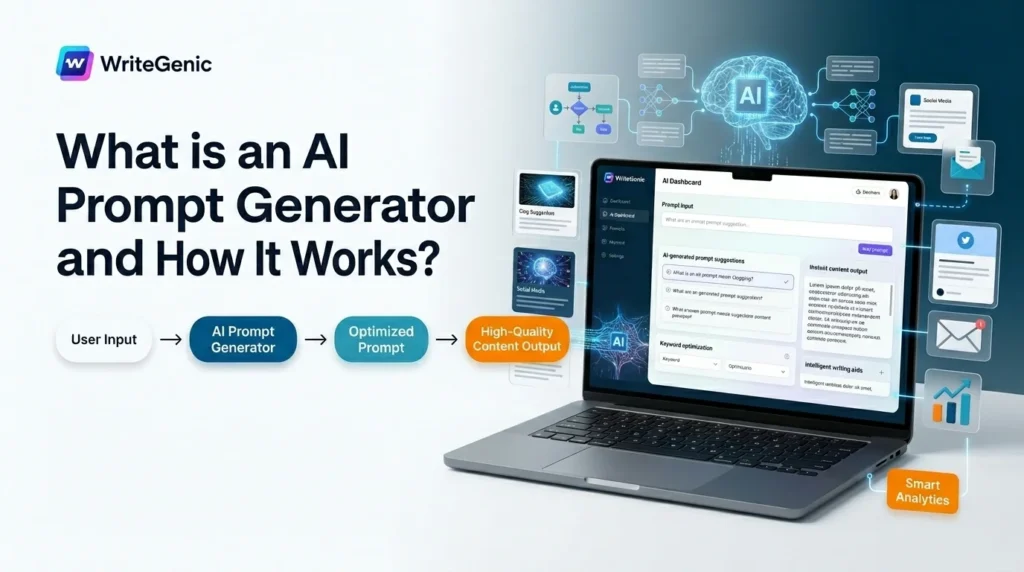
Quick answer: An AI prompt generator is a tool that turns a rough idea into a clear, structured instruction for an AI model. You type something short like “blog post about running shoes,” and it returns a full prompt that specifies the role, task, context, format, and tone. Better instructions produce better output, which is the whole point.
Table of Contents
What Is an AI Prompt Generator?
An AI prompt generator is a tool that writes instructions for other AI tools.
That sounds strange until you see it work. You give it a short, vague idea. It gives you back a detailed, structured request that an AI model can follow precisely.
Some people call these tools a prompt writer, a prompt maker, or an AI prompt maker. The names differ, the job is the same: close the gap between what you meant and what you typed.
Here is the gap, in one line each:
What you typed: write a blog post about running shoes
What you meant: a 1,200-word buying guide for beginner runners comparing three cushioning types, in a friendly tone, with a comparison table and no fake urgency
The AI cannot read your mind. A prompt generator writes the second version for you.
The core principle: an AI model is not guessing what you want. It is responding to exactly what you asked. Vague input is not a model failure — it is an instruction failure, and instructions are fixable.
What Makes a Prompt Good? The 6 Building Blocks
Almost every effective prompt contains some combination of these six parts. Learn these and you will understand what every prompt generator is really doing.
| Block | What it does | Example |
|---|---|---|
| Role | Tells the AI who to be | “You are a pediatric nurse explaining to a parent.” |
| Task | The single action you want | “Rewrite this paragraph at a 6th-grade reading level.” |
| Context | Background it could not guess | “This is for a rural clinic with no on-site pharmacy.” |
| Format | The shape of the answer | “Return a 5-row markdown table, no intro text.” |
| Tone | How it should sound | “Warm and plain. No jargon, no exclamation marks.” |
| Constraints | The rules and limits | “Under 150 words. Do not invent statistics.” |
Including Role, Task, Context, and Format will fix the large majority of weak AI responses. If a prompt is failing, one of those four is almost always missing.
The most underused block is Constraints. Telling the AI what not to do is often more powerful than telling it what to do. “Do not invent statistics” and “no bullet points” change output more than another sentence of description ever will.
How Does an AI Prompt Generator Work?
From input to output
A prompt generator moves through four steps:
- You give a rough input — a keyword, a topic, or a half-formed sentence.
- It identifies what is missing — usually role, format, and constraints, because those are the parts people never think to include.
- It expands and restructures — either by dropping your idea into a proven template, or by using its own AI model to rewrite it.
- It returns a finished prompt — ready to paste into ChatGPT, Claude, Gemini, an image model, or your own application.
The three techniques behind them
Template-based. The tool has pre-built structures for common jobs like blog posts, product descriptions, or support replies. Your input fills the blanks. Fast and predictable, but limited to the templates that exist.
Model-based. The tool uses an AI model to rewrite your idea from scratch. More flexible, and better for unusual requests, but less consistent from run to run.
Feedback-loop. The tool runs your prompt, looks at the output, and suggests changes to the prompt. This is the most powerful approach and the least common, because it costs more to run.
Most good tools combine the first two. The best ones add the third.
20 Before-and-After Prompt Examples
This is the part other guides skip. Each pair shows a weak prompt, then the version a good prompt generator would produce.
Content and writing
1. Blog post
Before: write a blog post about running shoes
After: You are a running coach who has fitted shoes for beginners for ten years. Write a 1,200-word buying guide comparing neutral, stability, and maximal cushioning shoes for someone running their first 5K. Include a comparison table of the three types with one sentence on who each suits. Use plain language at about a 7th-grade level. Do not name specific brands or invent prices. End with three questions the reader should ask at a shoe store.
2. Product description
Before: write a product description for a water bottle
After: Write a 90-word product description for a 32oz insulated steel water bottle. Lead with the single most useful fact: it keeps liquid cold for 24 hours. Mention the leak-proof lid and dishwasher-safe body. Tone: practical and direct, no superlatives. Do not use the words “revolutionary,” “game-changing,” or “perfect.” Close with one plain sentence, not a call to action.
3. Rewriting for clarity
Before: make this simpler
After: Rewrite the text below at roughly a 6th-grade reading level. Keep every fact and number exactly as written. Break sentences longer than 20 words into shorter ones. Replace jargon with everyday words, but keep any term the reader genuinely needs to know and define it in one clause. Return only the rewritten text with no commentary. [PASTE TEXT]
4. Outline
Before: outline an article about remote work
After: Create an H2/H3 outline for a 2,000-word article on managing a remote team across four time zones. Target reader: a first-time manager with six reports. Include one section on the specific problem of overlapping hours and one on written-first communication. For each H2, add a one-line note on what it must prove. Return as a nested list only.
Email and messaging
5. Cold outreach
Before: write a cold email to a prospect
After: You are a founder emailing the head of operations at a 200-person logistics company. Write a 110-word cold email. Open with a specific observation about their public job postings for warehouse staff, not a compliment. State one problem you solve in one sentence. Ask for a 15-minute call. No links, no attachments, no “hope this finds you well.” Subject line under 45 characters.
6. Difficult reply
Before: write an email declining a request
After: Write a 90-word email declining a colleague’s request to join a project, because my current workload is full through October. Be warm but do not apologise more than once. Offer one concrete alternative: a 30-minute call to advise instead of joining. Do not hedge or leave the door open if it isn’t open. Sign off plainly.
7. Follow-up
Before: write a follow up email
After: Write a 60-word second follow-up to a prospect who opened my first email twice but did not reply. Do not mention that I saw them open it. Add one new piece of value — a single relevant statistic or observation — rather than repeating the original ask. One clear question at the end. No guilt, no urgency.
Social and marketing
8. LinkedIn post
Before: write a linkedin post about AI
After: Write a 140-word LinkedIn post from the perspective of an operations lead who spent three months rolling out AI note-taking to a 40-person team. Structure: one specific thing that went wrong, what we changed, what the result was. No hook-and-bait opening line. No emoji. No “here’s what I learned” framing. End on an observation, not a question.
9. Ad copy variants
Before: write facebook ads for my course
After: Write five distinct Facebook ad primary-text variants (under 125 characters each) for a beginner SQL course aimed at marketing analysts. Each variant must lead with a different angle: time to first result, the specific task it unlocks, the cost of not knowing, a peer comparison, and a plain factual claim. No fake scarcity. Return as a numbered list with the angle labelled.
10. Social calendar
Before: give me social media post ideas
After: Create a two-week posting calendar for an independent bookshop’s Instagram, three posts per week. Mix these formats: staff pick, behind-the-counter photo idea, a customer question answered, and one local-community post. For each entry give the date, the format, a one-line caption concept, and a photo direction. Return as a table. No hashtag lists.
SEO and research
11. Keyword grouping
Before: group these keywords
After: Group the keyword list below into topic clusters based on search intent, not word similarity. For each cluster give it a name, mark the intent as informational, commercial, or transactional, and nominate one keyword as the head term. Flag any two keywords that would cannibalise each other if given separate pages. Return as a table. [PASTE LIST]
12. Meta descriptions
Before: write meta descriptions
After: Write meta descriptions for the five page titles below. Each must be 150–158 characters including spaces, contain the page’s primary keyword naturally, and end with a concrete benefit rather than a call to action. Give the exact character count after each one. Do not use “discover,” “unlock,” or “elevate.”
13. Summarising research
Before: summarise this article
After: Summarise the text below in exactly five bullet points. Each bullet must contain one specific claim with its number or date if the text gives one. Do not include the author’s opinions unless you label them as opinions. At the end, list any claim the text asserts without evidence. Do not exceed 150 words total. [PASTE TEXT]
Code and data
14. Debugging
Before: fix my code
After: The Python function below throws a KeyError on some rows but not others. Explain the cause in two sentences before showing any code. Then give the corrected function with a comment on the changed line only. Do not restructure the rest of the function or rename variables. Assume pandas 2.x. [PASTE CODE]
15. Writing a function
Before: write a python script to clean data
After: Write a Python function that takes a pandas DataFrame and standardises a column of messy phone numbers to E.164 format. Handle these cases: missing country code (assume +1), extensions, letters, and empty values. Return the DataFrame plus a count of rows that could not be parsed. Include three test cases. Use only the standard library and pandas. Add type hints.
16. Explaining a concept
Before: explain database indexes
After: Explain what a database index is to a junior developer who understands tables and queries but has never tuned one. Use one concrete analogy, then one real example with a before-and-after query time. Cover the cost of an index, not just the benefit. Under 300 words. No bullet points — write it as prose.
Images and multimedia
17. Image prompt
Before: a picture of a kitchen
After: A narrow galley kitchen in a 1930s apartment, late afternoon, low sun coming through a single window at the far end. Warm white subway tile, brass fixtures with visible patina, open shelving with mismatched ceramics. Shot on 35mm film, shallow depth of field, natural light only, slight grain. No people, no text, no brand logos. Landscape orientation.
18. Video script
Before: write a video script about our product
After: Write a 60-second explainer script for a screen-recorded demo of an invoicing tool aimed at freelance designers. Structure: 5 seconds on the specific pain (chasing late payment), 40 seconds walking through three clicks, 15 seconds on what changes. Write it as two columns: on-screen action and voiceover. Voiceover must be under 150 words total and readable aloud without stumbling.
Business and support
19. Customer service reply
Before: write a reply to an angry customer
After: Write a 100-word reply to a customer whose order arrived nine days late. Acknowledge the delay in the first sentence without excuses. State the one thing we are doing about it — a full refund of shipping. Do not ask them to be patient, do not blame the carrier, and do not offer a discount code as the primary remedy. Give a direct email for follow-up. Tone: plain and accountable.
20. Meeting summary
Before: summarise these meeting notes
After: Turn the notes below into a summary with three sections: Decisions Made, Open Questions, and Action Items. For action items, give owner and due date only if the notes state them — write “owner not assigned” rather than guessing. Do not include discussion that led to no decision. Keep the whole thing under 250 words. [PASTE NOTES]
The pattern across all twenty: every “after” prompt adds a role, a measurable constraint, a format, and at least one instruction about what not to do. That is the entire craft.
6 Prompt Frameworks Worth Knowing
Frameworks are just checklists so you stop forgetting the same blocks. They come from the field of prompt engineering — the practice of structuring instructions so a model responds reliably — but you do not need a technical background to use any of them. Here are six that are widely used, with what each stands for.
RTF — Role, Task, Format
The simplest one. Three fields, thirty seconds to write.
Role: You are a technical recruiter. Task: Write five screening questions for a mid-level React developer. Format: Numbered list, one line each, no explanations.
Best for: quick, repeatable jobs. Excellent for batch work, because the structure keeps ten prompts consistent.
RACE — Role, Action, Context, Execute
Adds context to RTF. A good everyday default.
Role: You are a small-business accountant. Action: Explain the difference between cash and accrual accounting. Context: The reader runs a two-person landscaping business and is choosing for the first time. Execute: Under 250 words, one worked example with real numbers, no tax advice.
CRAFT — Context, Role, Action, Format, Tone
RACE plus tone control. Strong for anything where voice matters.
Context: We are launching a paid newsletter for indie game developers. Role: You are a copywriter who has written for developer audiences. Action: Write the landing page hero — headline and two-sentence subhead. Format: Three variants, labelled. Tone: Dry, specific, allergic to hype.
CO-STAR — Context, Objective, Style, Tone, Audience, Response
Six fields, built for business and marketing content where audience fit is the deciding factor.
Context: Our support team handles 400 tickets a week, mostly password resets. Objective: Convince the ops director to fund a self-service help centre. Style: Internal business memo. Tone: Measured, not evangelical. Audience: A director who cares about headcount cost, not technology. Response: One page, with a three-row cost comparison table.
CRISPE — Capacity/Role, Insight, Statement, Personality, Experiment
The deepest of the acronym frameworks. The “Experiment” field asks for multiple alternatives, which makes it good for exploration rather than a single answer.
Capacity: Act as a pricing strategist. Insight: We sell a $12/month writing tool. Churn spikes at month three. Statement: Propose three pricing or packaging changes to reduce month-three churn. Personality: Blunt, evidence-first, willing to say an idea is bad. Experiment: Give three distinct options with the main risk of each.
RISEN — Role, Instructions, Steps, End goal, Narrowing
For multi-step work where you need to control the process, not just the output.
Role: You are a data analyst. Instructions: Audit this spreadsheet for data quality problems. Steps: 1) List column types. 2) Flag missing values by column. 3) Flag duplicates. 4) Flag outliers with the rule you used. End goal: A one-page issue list I can hand to the data owner. Narrowing: Only the first 1,000 rows. Do not suggest fixes yet.
Bonus: Chain-of-Thought
Not an acronym — a technique. You ask the model to show its reasoning before its answer.
Work through this step by step. Show your reasoning first, then give the final answer on a separate line labelled ANSWER.
Best for maths, logic, code, and multi-step analysis. It costs more tokens and takes longer, so save it for tasks where being right matters more than being fast.
Which Framework Should You Use?
| If your task is… | Use | Why |
|---|---|---|
| Simple and repeatable | RTF | Fastest to write, consistent across batches |
| An everyday request needing background | RACE | Adds context without much overhead |
| Voice- or brand-sensitive | CRAFT or CO-STAR | Explicit tone and audience fields |
| Business or marketing content | CO-STAR | Built around audience fit |
| Exploratory, needs options | CRISPE | The Experiment field forces alternatives |
| Multi-step with a controlled process | RISEN | Steps and Narrowing prevent drift |
| Maths, logic, code, analysis | Chain-of-Thought | Reasoning shown means errors are visible |
| A throwaway question | None | Framework overhead isn’t worth it |
Honest note: there is no universal winner, and the framework matters less than whether you included the six building blocks. Pick one, use it until it feels limiting, then move up. Memorising all of them is a waste of time.
What AI Prompt Generators Cannot Do
Every other article on this topic sells these tools. Here is the honest limit of them, which matters more if you are deciding whether to rely on one.
They cannot fix a model’s knowledge gaps. If the AI does not know something, or its training data ends before the thing you are asking about, a better prompt will not conjure the fact. It may produce a more confident wrong answer, which is worse.
They cannot stop hallucination. Constraints reduce it. “Do not invent statistics” genuinely helps. But no prompt guarantees accuracy, and you still have to check every number, name, quote, and citation.
They cannot decide what you actually want. A prompt generator makes your idea clearer. It cannot make it correct. If your underlying request is aimed at the wrong audience or answers the wrong question, you will get a beautifully structured answer to the wrong question.
They can make output more generic, not less. This is the trap. Template-based generators produce template-shaped prompts, which produce template-shaped writing. If everything you publish came out of the same three templates, readers will feel it even if they cannot name why.
They carry a privacy cost. Anything you paste into a third-party tool leaves your control. Do not paste customer data, unreleased financials, medical information, or anything under NDA into a tool whose data policy you have not read.
They go stale. Prompt engineering techniques that worked well on older models are sometimes unnecessary on newer ones — modern models often need less hand-holding, not more. An AI prompt maker built on 2023 assumptions can add ceremony that no longer helps.
Use them as a fast first draft for your instructions. Keep the judgment yourself.
Prompt Generator vs Prompt Library vs Prompt Marketplace
These three get confused constantly.
| Type | What it gives you | Best for |
|---|---|---|
| Prompt generator | A custom prompt built from your input | Novel or specific tasks |
| Prompt library | A browsable set of pre-written prompts | Common tasks you do repeatedly |
| Prompt marketplace | Prompts sold by other people | Specialist work, especially image models |
| Built-in improver | A “improve this prompt” button inside an AI tool | Quick fixes without leaving the app |
Most people need a generator plus a small personal library of the ten prompts they actually reuse. Marketplaces mostly make sense for image and video generation, where the prompt syntax is fussier and harder to learn.
Are There Free AI Prompt Generators?
Yes. There are free options in every category above, and several major AI tools now include a prompt-improvement button at no extra cost.
A word of caution on tool roundups, including any you read elsewhere: pricing and free-tier limits in this space change constantly. Credit allowances get cut, free plans disappear, and tools shut down. Any specific “20 free credits” style claim you read — including in articles published this year — should be treated as a snapshot, not a fact. Check the tool’s own pricing page before you commit.
What to look for in a free tier, regardless of the tool:
- Does it let you edit the generated prompt, or only copy it?
- Does it work with the model you actually use?
- Does it save your prompts, or lose them when you close the tab?
- What does its privacy policy say about your inputs?
- Is there a paid step you will hit immediately?
Best Practices for Writing Better AI Prompts
These work with or without a generator.
Say what you want, not what you don’t want first. Lead with the instruction. Put the “do not” rules at the end.
Give one example if you can. Showing the AI one sample of the output you want (“few-shot prompting”) beats three paragraphs describing it.
Ask for a format explicitly. “Return a markdown table with these four columns” removes an entire round of back-and-forth.
Put long text at the end. If you are pasting a document, put your instructions first and the document last. Instructions buried under 2,000 words of pasted text get less weight.
Set a number. Word counts, bullet counts, character limits. Numbers are the single most reliable lever you have.
Iterate instead of restarting. When output is close but wrong, say what to change rather than rewriting the whole prompt. “Same thing, but cut the intro and make the tone flatter” is faster and usually better.
Keep a file of your best prompts. The prompts you reuse are worth more than any tool. Ten saved prompts you trust will do more for your output than a hundred you generated once.
6 Mistakes That Ruin a Prompt
1. Asking for too many things at once. One prompt, one job. Split “write and then also translate and also make a social version” into three.
2. Being polite instead of specific. “Could you please try to make it a bit better?” gives the model nothing to act on.
3. Leaving out the audience. The same facts written for a CFO and a first-year intern are different documents.
4. Never specifying what to avoid. The fastest improvement available to most people, and the least used.
5. Trusting numbers you didn’t check. Statistics, dates, names, quotes, citations. Verify all of them, every time.
6. Reusing a prompt after switching models. A prompt tuned for one model may need loosening or tightening on another. Re-test when you switch.
How WriteGenic AI Fits In
You now have the frameworks and twenty worked examples. The remaining problem is doing this every day, across different tasks, without starting from a blank box each time.
WriteGenic AI is an all-in-one AI writing platform with 300+ templates covering marketing, business, and creative content, plus support for 120+ languages.
For prompt work specifically, the AI Prompt Generator takes a topic or instruction and returns a structured prompt you can edit. Related pieces of the platform:
- AI Article Wizard — for long-form drafts once your prompt is ready
- AI Writer and tools library — task-specific templates so you skip prompt-writing entirely for common jobs
- AI Image Generator — where the image-prompt structure in example 17 applies directly
- Team features — so a whole team can share the prompts that actually work rather than each reinventing them
Being straight about it: a generator gives you a better starting instruction, not a guarantee. You still check the facts, and you still decide whether the answer was worth asking for. That’s the job that stays yours.
Start with WriteGenic AI free and try rewriting one of your worst-performing prompts.
Frequently Asked Questions About AI Prompt Generator
What is the purpose of an AI prompt generator?
To turn a vague idea into a clear, structured instruction an AI model can follow. It adds the parts people forget — role, format, tone, and constraints — so you get usable output on the first try instead of the fourth.
How does a prompt writer differ from a regular AI tool?
A prompt writer creates the instruction. A regular AI tool executes it. The prompt writer prepares the input; the AI system produces the output.
Can I create AI prompts without a generator?
Yes. Include six things: role, task, context, format, tone, and constraints. If you cover those, you do not need a tool. A generator just makes it faster and more consistent.
What is the best prompt framework?
There isn’t one. RTF is best for quick repeatable tasks, CO-STAR for audience-sensitive business content, RISEN for multi-step work, and Chain-of-Thought for reasoning. Start with RTF or RACE and move up only when you feel the limits.
Do prompt generators work with all AI models?
The structure transfers well, because reducing ambiguity helps every model. But specifics don’t always: image models want different syntax from text models, and a prompt tuned on one model may need adjusting on another. Re-test when you switch.
Will a better prompt stop the AI from making things up?
It reduces it, especially if you explicitly say not to invent facts or citations. It does not eliminate it. Verify every number, name, quote, and source regardless of how good the prompt was.
Is it safe to paste my work into a prompt generator?
Depends entirely on the tool’s data policy, so read it. As a rule, keep customer data, unreleased financials, medical information, and anything under NDA out of third-party tools.
How long should a prompt be?
As long as it needs to be and no longer. Most good prompts run 40 to 150 words. Past that you are usually repeating yourself, and the model weights early and late instructions more heavily than the middle.
Can prompt generators be used for creative writing?
Yes, and they’re genuinely useful for breaking a blank page. The caution is sameness: if every story starts from the same generated structure, the output converges. Use them to start, then diverge deliberately.
Do I still need to learn prompting if I use a generator?
Yes, and this is the honest answer. The tool is fastest when you can tell a good generated prompt from a bad one, and that judgment only comes from understanding the six blocks yourself.
Related reading: AI Prompt Generator tool · AI Article Wizard · How to Write a Perfect Welcome Email · How to Write a Real Estate Listing Description
