

Contingency Plan in Project Management: Template, Triggers, and a Full Example
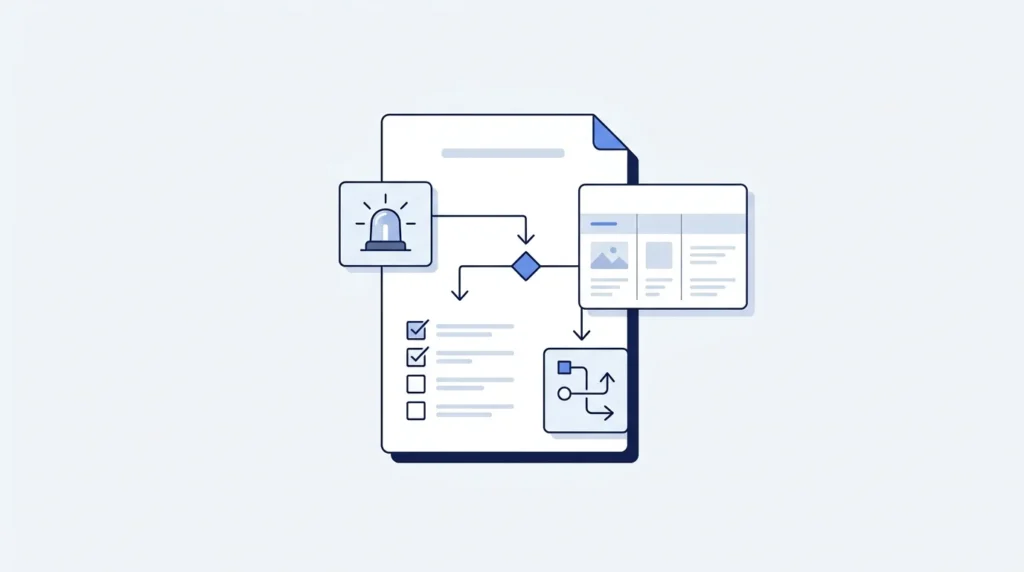
Quick answer: A contingency plan in project management is a written backup plan for a specific risk. It says what you will do if that risk happens, who decides to start it, what it will cost, and the exact condition that triggers it. Every plan needs a trigger, an owner, and money set aside.
Most project plans assume everything goes right. Real projects don’t work that way.
A contingency plan is your answer to one simple question: what will we do if this goes wrong?
Think of it like a spare tyre in a car. You hope you never need it. But if you get a flat on the motorway, you don’t want to start shopping for one.
This guide gives you the full process, a copy-and-paste template, and a complete example with real numbers.
Table of Contents
What Is a Contingency Plan in Project Management?
A contingency plan is a written backup plan for one specific risk. It answers what you will do, who will do it, how much it will cost, and when you will start.
It is not a general “we’ll figure it out” promise. It is a real plan, written before the trouble starts.
Here’s the key idea. You write it while you are calm, so you can act fast when you are not.
Why not just deal with problems when they happen?
Because problems arrive at the worst moment. The supplier calls on a Friday afternoon. The lead developer quits during testing week.
At that moment you have three things working against you: no time, no information, and a lot of stress. Decisions made like that are usually expensive.
A contingency plan moves the thinking to a quiet day. On the bad day, you only have to act.
One plan, one risk
A common mistake is writing a single giant “contingency plan” for the whole project. That plan will be vague, and nobody will use it.
Instead, write a short plan for each serious risk. Five focused half-page plans beat one twenty-page document every time.
Contingency Plan vs Risk Response vs Crisis Management: What Is the Difference?
People use these words as if they mean the same thing. They don’t.
| Term | What it means | When it is used |
|---|---|---|
| Risk response | Your decision about a risk: avoid it, reduce it, transfer it, or accept it | During planning, for every risk |
| Mitigation | Action taken now to make a risk smaller or less likely | Before the risk happens |
| Contingency plan | A backup plan for what you’ll do if the risk happens anyway | Written before, used after |
| Fallback plan | The backup to the backup, if the contingency plan fails | Rarely, for very serious risks |
| Crisis management | Handling a sudden emergency you did not plan for | During an unexpected event |
| Business continuity | Keeping the whole organisation running through a major disruption | Company-wide, not per project |
| Disaster recovery | Restoring systems and data after a major failure | Usually IT, after an outage |
The simplest way to remember it: mitigation lowers the chance, contingency handles the consequence.
Here’s how it fits together. When you choose a risk response strategy, one option is to accept the risk — you decide the cost of preventing it is too high. A contingency plan is what makes that acceptance responsible. You accepted the risk, but you are not unprepared for it.
When Do You Need a Contingency Plan?
You cannot write a plan for every risk. You would spend the whole project writing and none of it working.
Write a contingency plan when a risk meets at least two of these tests:
- High impact. If it happens, it costs real money, real time, or real trust.
- Realistic chance. It is plausible, not a freak event.
- Slow to fix. You could not sort it out in an afternoon.
- Outside your control. A supplier, the weather, a regulator, another team.
- On the critical path. A delay here delays the whole project.
When you don’t need one
- The risk is small and cheap to fix on the spot.
- You already removed the risk entirely through mitigation.
- The risk is so unlikely that planning time is better spent elsewhere.
- A standard company procedure already covers it.
For most projects, 3 to 7 contingency plans is the right number. If you have 30, you are planning instead of working. If you have zero, you are gambling.
What Are the 7 Parts of a Contingency Plan?
Every good plan has the same seven parts. Miss one and the plan tends to fail at the worst moment.
| # | Part | The question it answers |
|---|---|---|
| 1 | Risk description | What exactly are we worried about? |
| 2 | Trigger condition | What tells us it is happening, right now? |
| 3 | Owner | Who watches for the trigger? |
| 4 | Decision maker | Who has the authority to start the plan? |
| 5 | Response actions | What do we do, in order, and who does each part? |
| 6 | Cost and time | What will this cost, and where does the money come from? |
| 7 | Communication | Who do we tell, and what do we say? |
Parts 2 and 4 are the ones most teams skip. They are also the two that decide whether the plan actually gets used.
How Do I Create an Effective Contingency Plan in Project Management?
Follow these 8 steps. You can do the whole thing for one risk in about an hour.
Step 1: Start from your risk register
You should already have a list of risks from your risk assessment plan. Sort it by severity. The top few risks are your candidates.
If you don’t have a risk register yet, build one first. Contingency planning without a risk list is guesswork.
Step 2: Pick the risks that deserve a plan
Use the tests from the section above. Aim for 3 to 7 plans on a normal project.
Be honest here. Pick the risks that actually keep you up at night, not the ones that are easy to write about.
Step 3: Describe the risk in one clear sentence
Write it as cause → event → effect.
Weak: “IT problems.” Strong: “Because the new internet line depends on an external provider, the line may not be live by move day, which would stop 120 staff from working.”
The strong version tells you where to look for a trigger, and what the plan must protect.
Step 4: Write the trigger condition
This is the most important line in the plan. Make it something you can measure or observe, not a feeling.
Weak: “If the internet looks like it might be late.” Strong: “If the provider has not confirmed an installation date by week 8, or confirms any date after week 12.”
Now anyone can check whether the trigger has fired. No debate needed.
Step 5: Write the response actions in order
List the steps in the order they must happen. Give each step an owner and a rough duration.
Keep it short. Five to eight steps is usually enough. A plan that reads like a novel will not be followed under pressure.
Step 6: Cost it and fund it
Work out what the response will cost in money and days. Then say where the money comes from — normally the contingency reserve, which we cover below.
A plan with no funding is a wish. When the moment comes, someone will have to ask for money, and that takes days you don’t have.
Step 7: Name the decision maker
Write down exactly who can say “start the plan.” Usually it is the project manager for smaller amounts, and the sponsor above a set figure.
Agree the limit in advance. For example: the project manager can spend up to £5,000 from the reserve without asking; anything above that needs the sponsor.
Step 8: Share it and review it
A plan nobody has read will not work. Walk the team through each plan once, so people recognise the trigger when they see it.
Then review your plans at every status meeting. Risks change. Some disappear. New ones show up.
What Are Trigger Conditions, and Why Do They Matter?
A trigger condition is the specific, checkable signal that tells you to start the plan.
This is the single most common gap in project management contingency planning. Teams write excellent response plans and then never use them, because nobody agreed what “it’s happening” looks like.
What makes a good trigger?
| Weak trigger | Strong trigger |
|---|---|
| If the supplier seems slow | If the supplier misses any confirmed delivery date by 3+ days |
| If we fall behind schedule | If the critical path slips by more than 5 working days |
| If testing goes badly | If more than 15 serious defects are open at the end of week 2 of testing |
| If the budget gets tight | If actual spend passes 85% while less than 70% of the work is done |
| If a key person becomes unavailable | If a named key person is unavailable for more than 5 working days |
The pattern is simple: a number, a date, or a yes/no fact that anyone can check.
Set a warning level too
The best plans have two levels.
- Amber (watch): something looks off. Increase monitoring, and warn the people who would act.
- Red (act): the trigger has fired. Start the plan.
Amber buys you preparation time. By the time red arrives, the team is already warmed up.
Give every trigger an owner
Somebody must be responsible for checking each trigger, and how often. Write it down: “Ayesha checks the supplier’s confirmation status every Monday.”
A trigger nobody watches is just a sentence in a document.
Who Decides When to Activate the Plan?
Decide this before you need it. Arguing about authority during a crisis wastes the time the plan was meant to save.
A simple structure that works on most projects:
| Cost of the response | Who approves | How fast |
|---|---|---|
| Under £5,000 | Project manager, alone | Immediately |
| £5,000 to £25,000 | Project manager plus sponsor | Same day |
| Over £25,000 | Sponsor plus finance | Within 2 working days |
| Affects scope or the final deadline | Sponsor and client | Change request required |
Adjust the numbers to your project size. What matters is that the limits exist and everyone knows them.
One more rule worth writing down: who decides when nobody can be reached. Name a deputy. Crises do not respect holidays.
How Do You Size Your Contingency Reserve?
A contingency reserve is money set aside inside the project budget for risks you already know about.
The most common method is expected monetary value, or EMV. It sounds technical, but the maths is simple multiplication.
EMV = probability × impact
You do this for each risk, then add the results together.
A worked reserve calculation
Take an office move project with a base budget of £180,000.
| Risk | Probability | Impact if it happens | EMV |
|---|---|---|---|
| Internet line not live by move day | 40% | £25,000 | £10,000 |
| Extra IT equipment needed | 50% | £6,000 | £3,000 |
| Old office handover overruns | 20% | £15,000 | £3,000 |
| Furniture delivery late | 30% | £8,000 | £2,400 |
| Moving company cancels | 10% | £12,000 | £1,200 |
| Total contingency reserve | £19,600 |
That’s about 11% of the base budget. The reserve is not a guess or a round number. It comes from the risks on your actual register, which means you can defend it to a sponsor line by line.
What if you have no numbers yet?
Early on, many teams use a percentage instead: often 5–10% of the budget for a familiar project, and more for an unfamiliar one. That’s fine as a starting point. Replace it with the EMV figure as soon as your risk register is real.
Whatever method you use, write down how you got the number. “We added 10%” is much harder to defend than a table.
Contingency Reserve vs Management Reserve: What Is the Difference?
These two pots of money are often confused, and the difference matters when you ask for approval.
| Contingency reserve | Management reserve | |
|---|---|---|
| Covers | Known risks, already on the register | Unknown problems nobody predicted |
| Sits in | The cost baseline | Outside the cost baseline |
| Controlled by | The project manager | The sponsor or organisation |
| To use it | Follow the plan, within your limit | Formal request to the sponsor |
| Sized by | EMV or a percentage of the budget | Usually a set percentage, often 5–10% |
| Example | The internet line is late, as we predicted | A new regulation appears mid-project |
For the office move, the full picture would look like this:
| Item | Amount |
|---|---|
| Base budget | £180,000 |
| Contingency reserve (known risks) | £19,600 |
| Management reserve (5%, held by sponsor) | £9,000 |
| Total authorised funding | £208,600 |
Keeping them separate protects you. If the whole project lives on one number, the reserve quietly gets spent on ordinary work, and there is nothing left when a real risk lands.
The Contingency Plan Template
Copy this for each risk that needs a plan. Keep it to one page.
CONTINGENCY PLAN

Project:
Risk ID:                      Date written:            Version:

1. RISK DESCRIPTION
   Because [cause], [event] may happen, which would [effect].

2. RISK RATING
   Probability:  __%      Impact: £______ / ___ days
   Expected monetary value (probability x impact): £______

3. TRIGGER CONDITIONS
   Amber (watch):
   Red (act):
   Checked by:                     How often:

4. DECISION MAKER
   Who can activate this plan:
   Deputy if unavailable:
   Spending limit without escalation: £______

5. RESPONSE ACTIONS
   | # | Action | Owner | Duration | Cost |
   | 1 |        |       |          |      |
   | 2 |        |       |          |      |
   | 3 |        |       |          |      |

6. FUNDING
   Total estimated cost: £______
   Source: contingency reserve / management reserve
   Effect on schedule: ___ days

7. COMMUNICATION
   Tell immediately:
   Tell within 24 hours:
   Message owner:

8. AFTER ACTIVATION
   Update the risk register:            Owner:
   Update the budget forecast:          Owner:
   Record in lessons learned:           Owner:

Approved by:                     Date:
The One-Page Contingency Card
The full template is for the plan document. This card is what you pin up or paste into your project tool, so people can act in seconds.
CONTINGENCY CARD — [Risk name]

IF:      [trigger condition, in one line]
THEN:    [first action, in one line]
WHO:     [decision maker] · [action owner]
COST:    £______ from [reserve]
TELL:    [names], within [time]
NEXT:    see full plan [link or document name]
Print one card per serious risk. During a real incident, people read six lines. They do not read six pages.
What Does a Real Contingency Plan Look Like?
Here is a full example, filled in. The project is an office move for 120 staff, running 14 weeks on a base budget of £180,000.
1. Risk description Because the new internet line depends on an external provider we do not control, the line may not be live by move day, which would stop 120 staff from working.
2. Risk rating Probability 40%. Impact £25,000 and 10 working days. EMV £10,000.
3. Trigger conditions
- Amber: the provider has not confirmed an installation date by the end of week 8.
- Red: no confirmed date by week 10, or a confirmed date later than week 12.
- Checked by the IT lead, every Monday.
4. Decision maker Project manager, up to £5,000. Above that, the sponsor. Deputy is the operations manager.
5. Response actions
| # | Action | Owner | Duration | Cost |
|---|---|---|---|---|
| 1 | Order 6 business 4G routers with unlimited data | IT lead | 3 days | £2,400 |
| 2 | Extend the old office lease by 2 weeks | Ops manager | 5 days | £6,000 |
| 3 | Keep 20 staff who need heavy bandwidth at the old site | Dept heads | 2 weeks | £0 |
| 4 | Move the remaining 100 staff as planned, on 4G | Ops manager | 2 days | £0 |
| 5 | Escalate weekly with the provider, in writing | IT lead | Ongoing | £0 |
| 6 | Switch everyone over within 3 days of the line going live | IT lead | 3 days | £3,000 |
6. Funding Total estimated cost £11,400, from the contingency reserve of £19,600. Schedule effect: no change to the project end date, because the move weekend stays fixed.
7. Communication Tell immediately: sponsor, department heads, IT team. Tell within 24 hours: all staff, by email and team meeting. Message owner: the operations manager.
What happened
The trigger fired in week 10. The provider confirmed a date in week 13.
The team ran the plan. Actual cost was £11,400, as estimated. All 120 staff moved on schedule. The 20 heavy-bandwidth staff worked from the old site for 11 days.
Remaining contingency reserve after the response: £8,200.
The lesson they recorded: the amber trigger at week 8 was worth more than the plan itself. It gave the IT lead two weeks to price the routers and negotiate the lease extension calmly. By the time red fired, everything was ready to sign.
What Happens After You Activate a Contingency Plan?
The plan ends, but the job doesn’t. Five things must happen within a week.
- Record what you actually spent. Update the budget forecast, and note how much reserve is left.
- Check the remaining reserve is still enough. If one risk ate most of it, tell the sponsor now, not later.
- Update the risk register. Close the risk if it is over. If it could happen again, keep it open and rewrite the plan.
- Tell the people who were affected. Close the loop with staff and stakeholders. Say what happened and what it cost.
- Write it into lessons learned. Note what worked and what didn’t, so it feeds into project closure.
Skipping step 2 is the dangerous one. Many projects fail not because a risk happened, but because the second risk happened and the money was already gone.
How Do You Develop a Robust Contingency Plan for Large-Scale Projects?
The eight steps above still apply. But how to develop a robust contingency plan for large-scale projects is a harder question, because one person cannot watch everything. Six things change.
1. Plan by workstream, not by project
Break the project into workstreams, and let each workstream lead own its own risks and plans. A central list for a 200-person project becomes stale within weeks.
2. Use tiers
Not every risk needs the same treatment. Three tiers work well:
| Tier | Which risks | What it needs |
|---|---|---|
| Tier 1 | Could stop the project or breach a contract | Full plan, fallback plan, sponsor named, tested |
| Tier 2 | Serious delay or major cost | Full plan, reviewed monthly |
| Tier 3 | Annoying but survivable | One-line note on the risk register |
3. Watch for risks that arrive together
On big projects, risks are often linked. One late supplier can trigger three other problems at once.
Check your top risks in pairs. Ask: if these two happen in the same month, does our reserve survive? This is the calculation that catches out most large programmes.
4. Test the plans
For tier 1 risks, run a tabletop exercise. Sit the team down for an hour, describe the trigger firing, and walk through who does what.
You will almost always find something broken — a phone number nobody has, an approval that takes three days, a person who left the company.
5. Protect the reserve with governance
On large projects, set a rule: reserve spending is reported at every steering meeting, with the remaining balance shown. Reserves that are not reported get quietly absorbed.
6. Re-baseline the reserve at each phase gate
Risks change as a project moves through its phases. At each phase gate, recalculate the EMV. Early risks close, new ones open, and the reserve should follow.
What Software Tools Help Build Contingency Plans for Projects?
Contingency planning needs four jobs done. Different kinds of tools suit each one.
| Job | What to look for | Type of tool |
|---|---|---|
| Holding the risk register | Custom fields for probability, impact, owner, status; sorting and filtering | Spreadsheets, or the risk module in a project platform |
| Watching triggers | Automated alerts, recurring check tasks, dashboards | Project management platforms with automation rules |
| Writing the plans | Templates, version history, shared editing | Document and wiki tools, plus AI writing assistants |
| Tracking reserve spend | Budget fields, baselines, planned vs actual reporting | Scheduling or finance tools with baseline support |
Four features matter more than the brand on the box:
- Custom fields, so you can store a trigger condition and an owner against each risk.
- Automated reminders, so trigger checks happen even when people are busy.
- Baselines, so you can see reserve spend against the original plan.
- Linking, so a risk connects to its plan document and its tasks.
Whatever you pick, make sure the plans live where people already work. A perfect contingency plan in a folder nobody opens is worth nothing.
How Does Contingency Planning Change by Project Type?
The process is the same. The risks are not.
| Project type | Typical risks worth a plan | Common response |
|---|---|---|
| Software | Key developer leaves, integration fails, security issue found late | Pre-approved contractor, feature flags, phased rollout |
| Construction | Weather delays, material shortage, permit refused | Weather buffer days, second supplier, redesign option |
| Events | Speaker cancels, venue problem, low ticket sales | Standby speaker, backup venue, extra marketing budget |
| Marketing campaigns | Platform rule change, asset delivery late, poor early results | Alternative channel, reusable evergreen assets, budget switch |
| Office or IT moves | Connectivity late, equipment delayed, staff unavailable | Temporary connectivity, staged move, extended old-site access |
| Manufacturing | Machine breakdown, supply shortage, quality failure | Service contract with response time, second source, extra QA |
Notice the pattern in the response column. Almost every good contingency response is one of four things: a second supplier, a temporary substitute, a staged approach, or pre-approved extra money.
What Are the 8 Most Common Contingency Planning Mistakes?
- No trigger condition. The plan exists but nobody knows when to use it.
- No funding. The response needs money that has not been approved.
- One giant plan for everything. Too vague to follow when it matters.
- Writing it once and filing it. Risks change every month; plans must too.
- No named decision maker. Everyone waits for someone else to decide.
- Treating the reserve as spare budget. It gets spent on normal work, then it is gone.
- Never testing the plan. The phone number is wrong, the approver has left, the supplier no longer stocks the part.
- Confusing mitigation with contingency. Reducing a risk is not the same as being ready for it.
How Does Writegenic AI Fit In?
Contingency planning produces a lot of short, structured documents: risk descriptions, plan templates, escalation emails, and stakeholder updates written under time pressure.
Writegenic AI helps you draft them quickly. You can use it to:
- Turn a rough risk note into a proper cause–event–effect description
- Draft a contingency plan from the template above, for each risk
- Write the escalation email to a sponsor when a trigger fires
- Write the staff update that explains what is happening in plain language
- Summarise what happened into a lessons learned entry after the event
Explore AI for project management, browse the project management tools, or use the prompt generator to write sharper instructions for your drafts.
Draft with the tool, keep the judgement. AI can give you a clean plan structure in a minute. It cannot know how likely your supplier is to be late, what your sponsor will approve, or which of your people can actually be reached on a Sunday. Those numbers and names have to come from you, and someone senior has to sign them off.
Frequently Asked Questions
What is a contingency plan in project management, in simple words?
It is a written backup plan for one specific risk. It says what you will do if that risk happens, who decides to start it, what it costs, and the exact signal that tells you to begin.
What is the difference between a contingency plan and a risk mitigation plan?
Mitigation is action you take now to make a risk less likely or less damaging. A contingency plan is what you do if the risk happens anyway. Mitigation lowers the chance; contingency handles the consequence.
What should a contingency plan include?
Seven things: the risk description, the trigger condition, the risk owner, the decision maker, the response actions with owners, the cost and funding source, and the communication plan.
What is a trigger condition?
It is the measurable signal that tells you to start the plan. A good trigger uses a number, a date, or a yes/no fact, such as “the supplier misses a confirmed date by 3 or more days.”
How much contingency reserve should a project have?
It depends on your risks. The most defensible method is to multiply each risk’s probability by its impact and add the results. Many teams use 5–10% of the budget as a starting point before their risk register is complete.
What is the difference between contingency reserve and management reserve?
Contingency reserve covers known risks and sits inside the project budget, controlled by the project manager. Management reserve covers unknown problems, sits outside the budget, and is released by the sponsor.
Who approves the use of a contingency plan?
Set limits in advance. Typically the project manager can act up to a set amount, the sponsor approves larger responses, and anything affecting scope or the deadline needs a formal change request.
How many contingency plans does a project need?
For most projects, 3 to 7. Write them for risks that are high impact, realistically likely, slow to fix, and outside your control.
How often should contingency plans be reviewed?
Check triggers at every status meeting, and review the plans themselves monthly or at each phase gate. Risks change as a project moves forward.
What is project management contingency planning?
It is the process of identifying serious project risks, writing a backup plan for each one, setting triggers, and funding the response through a contingency reserve.
Can a contingency plan fail?
Yes. The usual reasons are a missing trigger, no funding, an absent decision maker, or details that went stale. Testing tier 1 plans with a short walkthrough catches most of these.
Can AI write a contingency plan for me?
It can draft the structure and wording fast, which saves real time. The probabilities, costs, names and approval limits must come from your team, and a person has to review and sign the plan.
Related reading:
