

Technical Design Specification (TDS): How to Write One, With a Template
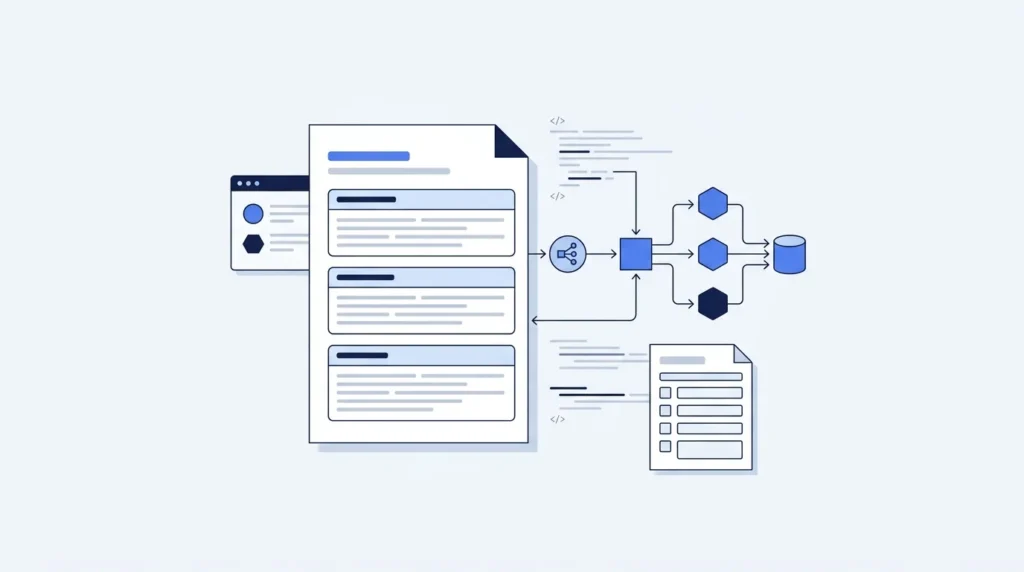
Quick answer: A technical design specification says how a system will be built. It comes after the functional spec, which says what the system does. The TDS is where the data models, APIs, architecture decisions, and error handling live — the detail engineers build from and nobody else needs to read.
Table of Contents
One thing worth saying up front: a lot of articles about technical specifications contain no technical content at all. The examples below are actual schemas, endpoints, and decisions — because a guide to writing technical documents should show you technical documents.
What Is a Technical Design Specification?
A technical design specification is the document that describes how a system will be built. It turns agreed behaviour into build detail: data structures, interfaces, components, algorithms, error handling, and the decisions behind each.
It has one reader — the people building it. A TDS is not written for the customer, the product owner, or the board. That’s what makes it different from almost every other project document.
| The TDS answers | It does not answer |
|---|---|
| What are the data structures? | What does the business need? |
| What are the interfaces and contracts? | What does the system do for a user? |
| How are components arranged? | Is this the right feature to build? |
| What happens when things fail? | When will it be delivered? |
| Why was this approach chosen over alternatives? | How much does it cost? |
The test for whether something belongs in a TDS: would an engineer need it to build the thing correctly? If yes, it belongs. If it’s there so a stakeholder feels informed, it belongs somewhere else.
You’ll see the same document called a technical design document (TDD), a detailed design specification (DDS), a software design document (SDD), or just a design doc. The names vary by industry and house style. The job doesn’t.
Design Specification vs Technical Specification
This confuses people constantly, and the honest answer is that it’s mostly a naming problem, not a real difference.
In most organisations, “design specification” and “technical specification” describe the same document. Both mean the detailed how-it-works document that engineers build from.
Where a genuine distinction exists, it usually runs like this:
| Term | Typical scope |
|---|---|
| Functional specification | What the system does — behaviour, in plain language |
| Design specification | How it’s structured — components, interfaces, data |
| Technical specification | Often used interchangeably with design specification; sometimes narrower, covering platform, versions, and environment |
The practical advice: don’t spend time arguing about which is which. Decide what your organisation calls it, write it down in your documentation standard, and be consistent. Trouble starts when two teams use the same word for different documents, not from picking the “wrong” name.
What does matter is the split between functional and technical. The functional document says the valve closes, or the alert sends. The technical document says which service closes it, over which interface, and what happens if it fails. Keep those in separate documents, because different people read them, at different times.
Where Does the TDS Sit? URS → FDS → TDS
A TDS makes sense only in relation to the documents around it.
| Document | Question | Written by | Read by |
|---|---|---|---|
| URS — User Requirements Specification | What do I need? | Customer or end user | Everyone |
| FDS — Functional Design Specification | What will the system do? | Supplier or product team | Customer, engineers, QA |
| TDS — Technical Design Specification | How will it be built? | Engineering team | Engineers |
One requirement, traced through all three:
URS-014: “Users should be told when new results match a search they care about.”
FR-032 (FDS): “A user may save a search. When new results match a saved search, the system shall send that user an email within 30 minutes. A user may save up to 20 searches.”
TDS: “Saved searches are stored in
saved_search. A scheduled worker runs every 10 minutes, executes each active search against the index, and compares result IDs againstlast_seen_ids. New IDs enqueue anAlertEmailjob on the notification queue. The 20-search limit is enforced by a database constraint and validated at the API layer.”
Same requirement, three levels. The customer signs the FDS. Engineers build from the TDS.
Our guide to the functional design specification covers the middle document in detail, including how it drives testing.
What Belongs in a TDS, and What Doesn’t?
| Belongs in the TDS | Belongs elsewhere |
|---|---|
| Data models, schemas, field types | Business justification → business case |
| API contracts and interface definitions | User-facing behaviour → FDS |
| Component and service boundaries | Dates and milestones → project schedule |
| Algorithms and processing logic | Cost estimates → budget |
| Error handling and failure modes | Test cases → test plan |
| Architecture decisions and rejected alternatives | Marketing positioning → anywhere else |
| Security, authentication, authorisation | Training materials → user documentation |
| Performance targets and limits | |
| Migration and rollback plans |
The most common padding is project management content. Timelines, budgets, and stakeholder lists creep into technical specs because someone wants a single document. They make the TDS longer, go stale faster, and less likely to be read by the only people who need it.
What Are the 12 Sections of a Technical Design Specification?
1. Document control. Version, author, reviewers, approval date, revision history.
2. Overview. What’s being built, in three or four sentences. A new engineer should get their bearings here.
3. Scope and non-goals. What this design covers, and explicitly what it doesn’t. Non-goals are the most valuable line in most design docs — they stop the review turning into a debate about a different problem.
4. Background and context. What exists today, what’s changing, and why. Links to the FDS or requirements this answers.
5. Architecture. Components, services, and how they relate. A diagram plus a short narrative.
6. Data design. Schemas, field types, constraints, indexes, retention. This is usually the section engineers read first.
7. Interfaces and APIs. Endpoints, request and response shapes, status codes, versioning, rate limits.
8. Processing logic. The algorithms, sequences, and state transitions that aren’t obvious from the schema.
9. Error handling and failure modes. What fails, what happens, what the user sees, what gets logged.
10. Security and access control. Authentication, authorisation, data classification, encryption, audit.
11. Performance and scale. Expected load, targets, limits, and what happens at the edges.
12. Decisions and alternatives considered. What you chose, what you rejected, and why. This is the section future engineers will thank you for — it stops people re-opening a decision three years later with none of the context.
Optional but often useful: migration plan, rollback plan, observability and metrics, open questions.
Technical Design Specification Template
Copy this. Nothing gated.
TECHNICAL DESIGN SPECIFICATION
Title:              ________________
Document ID:        ________  Version: ____
Author:             ________  Date: ________
Reviewers:          ________________
Approved by:        ________  Date: ________
Related documents:  FDS ref ________  URS ref ________

REVISION HISTORY
Ver | Date | Author | Change

1. OVERVIEW
   [3–4 sentences: what this builds and why]

2. SCOPE
2.1 In scope
2.2 Non-goals
2.3 Assumptions and constraints

3. BACKGROUND
3.1 Current state
3.2 What is changing
3.3 Requirements this answers (FDS references)

4. ARCHITECTURE
4.1 Component diagram
4.2 Component responsibilities
    Component | Responsibility | Owner
4.3 External dependencies
    Dependency | Purpose | Failure impact

5. DATA DESIGN
5.1 Schema
    Table/entity | Field | Type | Null? | Constraint | Notes
5.2 Indexes
5.3 Data retention and deletion
5.4 Migration approach

6. INTERFACES AND APIs
   For each endpoint:
   Method | Path | Auth | Request | Response | Status codes | Rate limit

7. PROCESSING LOGIC
7.1 [Process name]
    Trigger:
    Steps:
    Outputs:
    Idempotency:

8. ERROR HANDLING
   Condition | Detection | System behaviour | User-visible result | Logged as

9. SECURITY
9.1 Authentication
9.2 Authorisation model
9.3 Data classification
9.4 Encryption in transit and at rest
9.5 Audit requirements

10. PERFORMANCE AND SCALE
    Metric | Expected | Target | Limit | Behaviour at limit

11. OBSERVABILITY
11.1 Metrics
11.2 Logs
11.3 Alerts

12. DECISIONS AND ALTERNATIVES
    Decision:
    Options considered:
    Chosen:
    Rationale:
    Trade-offs accepted:

APPENDIX — OPEN QUESTIONS
    Question | Owner | Needed by
Two notes. Fill section 12 as you go, not at the end — the reasoning is fresh while you decide and gone a week later. And write section 3’s non-goals early; they shape every review conversation that follows.
Technical Design Specification Example
Here is the saved-search alerts feature from earlier, written out. Real artifacts, not descriptions of artifacts.
Overview
Users can save a search and receive an email when new results match it. Saved searches are evaluated by a scheduled worker; matches enqueue an email job. This answers FR-032 in the FDS.
Scope and non-goals
In scope: saving, listing and deleting searches; scheduled evaluation; email alerts.
Non-goals: in-app notifications, SMS, push, real-time alerts under 10 minutes, shared or team-level saved searches. These may follow; they are not in this design.
Data design
Table:
saved_search
Field Type Null Constraint Notes iduuid no PK user_iduuid no FK → users.id, indexednamevarchar(100) no User-supplied label queryjsonb no Serialised filter object is_activeboolean no default true Paused searches skip evaluation last_run_attimestamptz yes Null until first run last_seen_idsuuid[] no default ‘{}’ Result IDs from the previous run created_attimestamptz no default now() Constraint:
UNIQUE (user_id, name)— prevents duplicate labels. Constraint: maximum 20 rows peruser_id, enforced by trigger and validated at the API layer. Index:(is_active, last_run_at)— the worker’s selection query.Retention: rows are deleted on user account deletion via cascade.
last_seen_idsis capped at the most recent 500 IDs to bound row size.
Interfaces
Method Path Auth Request Success Errors POST /v1/saved-searchesBearer {name, query}201+ object400invalid query ·409duplicate name ·422limit reachedGET /v1/saved-searchesBearer — 200+ array— PATCH /v1/saved-searches/{id}Bearer {name?, is_active?}200+ object404·409duplicate nameDELETE /v1/saved-searches/{id}Bearer — 204404Rate limit: 60 requests per minute per user across all four endpoints. Versioning: breaking changes ship as
/v2./v1is supported for 12 months after/v2release.
Processing logic
Saved search evaluation
Trigger: scheduled every 10 minutes.
Steps:
- Select active searches where
last_run_atis null or older than 10 minutes, ordered bylast_run_at, limit 500 per run.- For each: execute
queryagainst the search index, capped at 100 results.- Compute new IDs as result IDs not present in
last_seen_ids.- If new IDs exist, enqueue one
AlertEmailjob carrying the search ID and the new IDs.- Update
last_seen_ids(capped at 500) and setlast_run_at.Idempotency: steps 3–5 run in one transaction. A worker crash before commit means the run repeats; because
last_seen_idsis unchanged, no duplicate alert is sent.Output: zero or one email job per saved search per run.
Error handling
Condition Detection System behaviour User sees Logged as Search index unavailable Query timeout >5s Skip this search, retry next cycle Nothing WARN search_index_timeoutMalformed stored query Parse failure Set is_active = false, notify user once“A saved search was paused” email ERROR saved_search_invalidEmail provider rejects Non-2xx from provider Retry 3× with backoff, then drop Nothing ERROR alert_email_failedUser over 20 searches API validation Reject with 422“You’ve reached 20 saved searches” INFO saved_search_limitWorker run exceeds 10 min Run duration metric Next run skipped; alert on-call Delayed alerts ERROR worker_overrun
Decision record
Decision: scheduled polling rather than event-driven evaluation.
Options considered:
- Poll on a schedule
- Evaluate every saved search on each content-publish event
- Maintain a reverse index of queries and match at write time
Chosen: option 1.
Rationale: the FDS commits to 30 minutes, so a 10-minute cycle has comfortable headroom. Option 2 scales with publish volume × saved searches and would run roughly 40,000 evaluations per hour at current volumes. Option 3 is the right long-term answer but needs a query-matching engine we don’t have.
Trade-offs accepted: alerts are not real-time. If saved searches exceed roughly 50,000, the 10-minute cycle will need re-examining — this is noted as a scaling trigger in section 10.
Notice what makes this a technical specification: field types, constraints, status codes, retry counts, timeouts, transaction boundaries, and a rejected-alternatives record with the arithmetic behind it. Not a description of what a technical specification would contain.
How Does an Engineering TDS Differ?
The structure above is software-shaped. In controls, process, and equipment engineering, a TDS covers the same idea with different content.
| Section | Software TDS | Engineering TDS |
|---|---|---|
| Architecture | Services and components | Panel layout, network topology, system architecture drawing |
| Data design | Database schema | I/O list, tag database, tag naming convention |
| Interfaces | API contracts | Protocol, addressing, register maps, comms specification |
| Processing logic | Algorithms, sequences | Control narratives, PID loop configuration, sequence logic |
| Error handling | Exception handling, retries | Failure modes, fail-safe positions, redundancy scheme |
| Performance | Latency, throughput | Scan rate, loop response time, redundancy switchover time |
| Decisions | ADRs | Hardware selection rationale, protocol choice |
The common structure holds. Overview, scope, architecture, data, interfaces, logic, failure, performance, decisions. Only the content type changes.
In regulated manufacturing, the TDS is a formal deliverable and pairs with Installation Qualification (IQ) on the V-model — IQ proves the system was built and installed as the design specification says. That makes traceability from FDS to TDS to IQ a compliance requirement, not just good practice.
TDS vs ADR vs RFC
Modern software teams increasingly use lighter formats. They’re not replacements so much as different tools.
| Format | Scope | Length | Lifespan |
|---|---|---|---|
| TDS / design doc | One feature or system, fully specified | 5–30 pages | Maintained alongside the system |
| ADR — Architecture Decision Record | One decision, with context and consequences | 1 page | Immutable — superseded, never edited |
| RFC — Request for Comments | A proposal circulated for feedback before commitment | 2–10 pages | Becomes a decision, then archived |
How they fit together in practice: an RFC proposes an approach and gathers dissent. Once agreed, a TDS specifies the build. Significant choices inside it get their own ADRs so the reasoning survives independently of the document.
Which to use: a one-page ADR for a single reversible decision. An RFC when you need buy-in before designing. A full TDS when the thing is large enough that several people build from it, or when a regulator or client requires one.
The mistake is using a TDS for everything. A 20-page design doc for a two-day change is how documentation gets a bad name — and how teams stop writing it at all.
How Does a TDS Trace Back to the FDS?
Every TDS section should trace to something someone asked for.
| FDS ref | Functional requirement | TDS section | Verified by |
|---|---|---|---|
| FR-032 | Email within 30 minutes of a match | §7.1, §5.1 | IQ-008 |
| FR-033 | Maximum 20 saved searches per user | §5.1 constraint, §6 422 | IQ-009 |
| FR-034 | User can pause a saved search | §6 PATCH, §5.1 is_active | IQ-010 |
Two jobs, same as on the functional side. It proves nothing was missed — every functional requirement has a design answer. And it proves nothing was invented — a TDS section with no FDS reference is either scope you’re building unasked, or a genuine gap in the FDS that needs raising.
That second case is common and worth naming. Writing a TDS routinely exposes questions the functional spec never answered. Don’t quietly decide them in the technical document — send them back, get the FDS updated, then reference it.
Who Should Review and Sign Off a TDS?
| Reviewer | Checking |
|---|---|
| Engineers who will build it | Is this buildable, and is anything missing? |
| A senior engineer outside the team | Is the approach sound? Were alternatives considered honestly? |
| Security | Auth, data handling, exposure |
| Operations / SRE | Can this be run, monitored, and recovered? |
| QA | Can this be tested as written? |
| Architect or tech lead | Does it fit the wider system? |
Three things that make reviews useful:
Ask a specific question. “Please review” gets skimmed. “Does the idempotency argument in 7.1 hold if the worker is killed mid-transaction?” gets read.
Review the decisions section hardest. If the rejected alternatives look like straw men, the decision probably wasn’t examined properly.
Freeze it, then version it. Post-approval changes get a revision number. A design doc that drifts silently is worse than none — people build from different versions believing they agree.
Where Can I Find Free Templates for Technical Design Specifications?
Four sources, in order of usefulness.
1. The template above. Complete, free, and not behind a signup form. The worked example shows what a filled-in version looks like, which matters more than the headings.
2. Your own past design docs. Almost always the best source, because they already match your stack, your habits, and how your team reviews. Search your repository or wiki for a recent well-reviewed one and copy its shape.
3. Open-source projects and public RFC repositories. Many large open-source projects publish design documents and RFCs openly. Reading real ones from a project you respect teaches more than any template — you see how much detail is really enough.
4. Your organisation’s documentation standard. If one exists, it wins. Ask before you write anything; rewriting a finished design doc into someone else’s structure is a day you won’t get back.
Two cautions about template hunting.
Most free templates are empty headings. They give you a table of contents, not a specification. The hard part isn’t knowing that a “data design” section exists — it’s knowing what belongs in it.
Watch for templates gated behind a product signup. Several of the most-linked “technical specification templates” require an account with a documentation vendor. The structure isn’t proprietary, and you shouldn’t have to trade an email for it.
What Are the Best Software Tools for Creating Technical Design Specifications?
Two separate jobs, and most articles conflate them.
| Job | What you need |
|---|---|
| Writing the document | A collaborative editor with version history and inline comments |
| Producing the artifacts | Diagramming, schema, and API definition tools |
For writing:
| Tool | Best for | Trade-off |
|---|---|---|
| Markdown in the repository | Keeping the design next to the code it describes | Weak commenting, poor for non-engineer reviewers |
| Confluence / Notion | Cross-functional review, searchable knowledge base | Drifts from the code; version history less visible |
| Google Docs | Fast review cycles, excellent inline commenting | No structure enforcement; hard to find later |
| Document generators | Consistent structure across many specs | Still needs the engineering content |
For the artifacts:
- Diagrams: Mermaid or PlantUML are text-based, so they version alongside the document. Excalidraw and Lucidchart for anything hand-drawn.
- API contracts: OpenAPI is the standard. Write the spec, generate the documentation.
- Schemas: your migration tool is the source of truth — reference it rather than transcribing, or the two drift apart within a month.
The recommendation that matters more than the tool: keep the design document close to what it describes. A design doc in a wiki nobody opens goes wrong within weeks. Markdown in the repository stays closer to the truth because it shows up in code review.
And for diagrams, prefer text-based formats. A PNG of an architecture diagram cannot be diffed, cannot be updated by the next engineer, and is invisible to search. A Mermaid block is all three.
Which Mistakes Ruin a TDS?
1. Writing it for stakeholders. The audience is engineers. Executive summaries and business justification belong elsewhere.
2. No non-goals. Without them, every review becomes a debate about a different problem.
3. Skipping the alternatives. A decision with no rejected options looks unexamined — and gets re-litigated later without the context.
4. Describing artifacts instead of showing them. “The API will expose endpoints for managing saved searches” is not an interface definition.
5. Project management content. Timelines, budgets, and stakeholder lists make the document longer and staler.
6. Writing it after the code. A design doc written just to tick a box is theatre. Write it while decisions are still open.
7. A 20-page doc for a two-day change. Use an ADR. Over-documenting small work is how teams stop writing docs at all.
8. Letting it drift after approval. Version it, or people build from documents that no longer agree.
TDS Checklist
- [ ] Document control complete with version and approvers
- [ ] Overview readable in under a minute
- [ ] Non-goals stated explicitly
- [ ] Every section traces to an FDS or requirement reference
- [ ] Data design shows actual fields, types, and constraints
- [ ] Interfaces show actual paths, payloads, and status codes
- [ ] Processing logic covers idempotency and retry behaviour
- [ ] Error handling covers detection, behaviour, user impact, and logging
- [ ] Security covers auth, authorisation, and data classification
- [ ] Performance targets have numbers and a stated behaviour at the limit
- [ ] Alternatives considered are genuine, with trade-offs named
- [ ] Diagrams are text-based and version with the document
- [ ] Reviewed by a senior engineer outside the team
- [ ] Reviewed by security and operations
- [ ] Open questions listed with owners
- [ ] Frozen at approval; changes go through versioning
How Writegenic AI Fits In
The engineering decisions take a whiteboard session. Turning them into a complete, consistently structured, reviewable document is where the hours go — and it’s the part that gets skipped under deadline.
Writegenic AI is an AI writing platform with 300+ templates and support for 120+ languages, including a set for technical and project documentation:
- AI for Project Management — drafting technical and project documents from structured inputs
- Requirements management plan — the requirements process your design answers to
- Project management tools — templates for the surrounding deliverables
- AI Prompt Generator — one reusable prompt encoding your section structure, so every design doc in the team comes out the same shape
- 120+ languages — for distributed teams reviewing in their own language
Where the line sits, clearly. A writing tool produces the structure, keeps ten design docs consistent, and drafts the prose around your artifacts. It cannot choose your data model, judge whether polling beats event-driven for your load, or know that your email provider has a rate limit you discovered the hard way. Those are engineering judgements, and they’re the content that makes the document worth reading.
Draft the document with the tool. Keep the engineering.
Start with Writegenic AI free.
Frequently Asked Questions About Technical Design Specification Template
What is a technical design specification document?
A document describing how a system will be built — data models, interfaces, components, algorithms, error handling, and the decisions behind them. It is written for engineers, and it comes after the functional specification, which describes what the system does.
What is the difference between a design specification and a technical specification?
In most organisations they’re the same document. Where a distinction is drawn, “design specification” tends to cover structure and components while “technical specification” covers platform, versions, and environment. The distinction that actually matters is functional versus technical — what it does versus how it’s built.
What is the difference between an FDS and a TDS?
The FDS says what the system does, in language a customer can review and sign. The TDS says how it’s built, in detail only engineers need. The FDS is the question; the TDS is the answer.
What should a technical design specification include?
Twelve sections: document control, overview, scope and non-goals, background, architecture, data design, interfaces, processing logic, error handling, security, performance, and decisions with alternatives considered.
Who writes the technical design specification?
The engineering team building the system — usually a senior engineer or tech lead, with input from whoever will implement it. It’s reviewed by engineers, a senior reviewer outside the team, security, operations, and QA.
How long should a technical design specification be?
As long as the work requires and no longer. A moderate feature runs 5 to 15 pages; a platform component can run to 30. For a change small enough that one person builds it in days, use a one-page architecture decision record instead.
What is the difference between a TDS and an ADR?
A TDS specifies an entire feature or system. An ADR captures one decision with its context and consequences, in about a page, and is never edited — it’s superseded instead. Large designs often contain several ADRs.
Do agile teams write technical design specifications?
Many do, in lighter form — a short design doc or RFC circulated before a substantial piece of work. The trigger is usually size and reversibility rather than methodology: if several people will build from it, or the decision is expensive to undo, write it down.
Where can I find free templates for technical design specifications?
The template in this article is complete and ungated. Beyond that, your own past design docs are usually the best source, and public open-source RFC repositories show real examples at realistic detail. Be wary of templates gated behind a documentation vendor’s signup — the structure isn’t proprietary.
What tools are best for writing technical design specifications?
Markdown in the repository keeps the design closest to the code. Confluence or Notion suit cross-functional review. Google Docs has the best commenting for fast review cycles. For artifacts, use Mermaid or PlantUML for diagrams and OpenAPI for interface definitions — all text-based, so they version with the document.
How does a TDS relate to testing?
On the V-model, the technical design specification pairs with Installation Qualification — IQ proves the system was built and installed as the design says. In regulated industries, traceability from FDS to TDS to IQ is a compliance requirement.
Should the TDS include timelines and budgets?
No. Schedule and cost belong in the project plan. Keeping them out makes the design document shorter, slower to go stale, and more likely to be read by the engineers who need it.
Related reading: Functional Design Specification · Requirements Management Plan · Project Planning and Scheduling · Risk Assessment Plan Template
