

Waterfall Methodology: The 6 Phases, Documents, and a Full Example
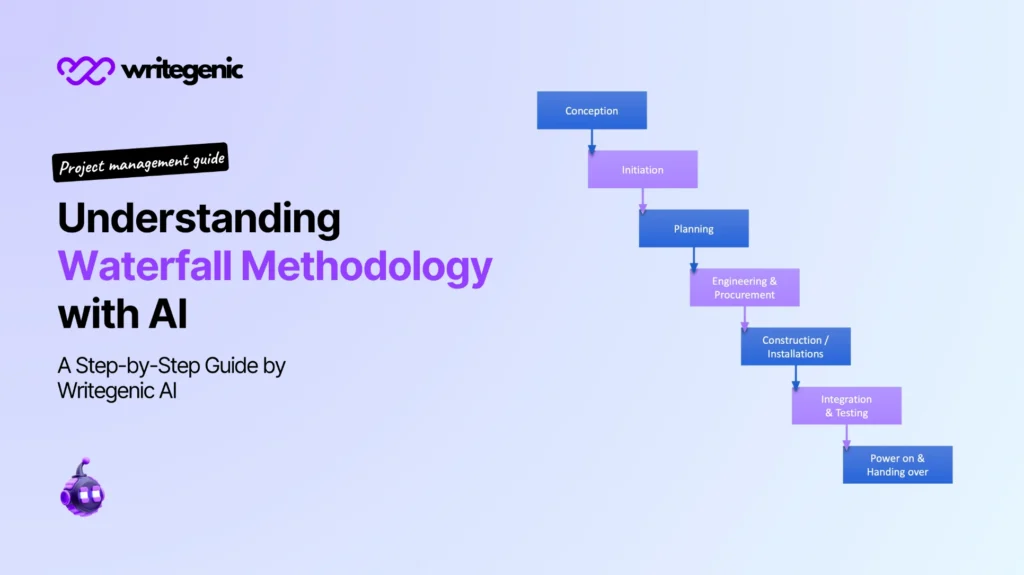
Quick answer: The waterfall methodology is a project approach where work flows through six phases in a fixed order: requirements, design, implementation, testing, deployment, and maintenance. Each phase must be finished and signed off before the next one starts. It suits projects with clear, stable goals and strict documentation needs.
Picture water falling down a set of steps. It only ever flows downward. It never climbs back up.
That is the whole idea behind the waterfall method. You plan everything first, then build it in order, and you try hard not to go backwards.
This guide explains every phase, the document each one produces, a template you can copy, and a full worked example with real dates and numbers.
Table of Contents
What Is Waterfall Methodology?
Waterfall methodology is a way of running a project in a straight line. You finish one phase completely, get it approved, and only then start the next one.
Think of building a house. You cannot put up walls before the foundation is poured. You cannot paint a room before the walls exist. The order is fixed by reality.
Waterfall works the same way. Each phase depends on the one before it.
Where does the name come from?
The model was first described in a 1970 paper by Winston W. Royce called Managing the Development of Large Software Systems.
Here is the interesting part. Royce never used the word “waterfall.” And he did not fully recommend the strict step-by-step version. He drew it as an example, then argued that you need feedback loops between the steps to make it safe.
The industry kept the diagram and dropped his warning. That is why many teams today use a softer version, with checks built in.
Waterfall methodology in one table
| Feature | How waterfall handles it |
|---|---|
| Order of work | Fixed and sequential |
| Planning | Done in full, at the start |
| Requirements | Locked before building begins |
| Customer involvement | Heavy at the start and the end |
| Changes | Handled through formal change requests |
| Documentation | Detailed, and produced at every phase |
| Testing | A dedicated phase, after building |
| Delivery | One complete product at the end |
What Are the Core Phases of the Waterfall Development Lifecycle?
There are 6 core phases. Some guides list 5 and merge testing into deployment, but 6 is the version most teams and exams use.
| # | Phase | Main question it answers | Main output |
|---|---|---|---|
| 1 | Requirements | What must this do? | Requirements document |
| 2 | Design | How will we build it? | Design specifications |
| 3 | Implementation | Let’s build it | The working product |
| 4 | Testing | Does it work properly? | Test results and fixes |
| 5 | Deployment | Let’s give it to users | Live product and training |
| 6 | Maintenance | Keep it running | Support log and updates |
Phase 1: Requirements
You gather everything the product must do, and write it down.
You talk to users, managers, and anyone affected. You ask what problem needs solving. You write each need as a clear statement that can be tested later.
This phase matters more in waterfall than anywhere else. A mistake here travels through all five remaining phases. Fixing it at the end costs far more than fixing it now.
Phase ends when: the client signs the requirements document.
Phase 2: Design
You decide how the product will be built, before anyone builds anything.
Design usually splits in two. The high-level design covers screens, user journeys, and how parts fit together. The low-level design covers the technical detail, such as data structures and how systems talk to each other.
The output is a functional design specification and a technical design specification.
Phase ends when: the technical lead and client approve the design documents.
Phase 3: Implementation
The team builds the product, following the design.
In software this means writing code. In construction it means pouring concrete and raising walls. In manufacturing it means making the parts.
Developers do small checks as they go, but full testing waits for the next phase. Work is often split between people by section, so several parts get built at once.
Phase ends when: all planned features are built and pass a basic check.
Phase 4: Testing
Testers check the product against the requirements document, line by line.
They look for bugs, missing features, and anything that does not match what was agreed. Every problem goes into a defect log, gets a severity level, and is sent back for fixing.
Users often join at this point for acceptance testing. They try the product in a realistic way and confirm it does what they asked for.
Phase ends when: all serious defects are fixed and users sign the acceptance form.
Phase 5: Deployment
The product goes live and real people start using it.
This covers installing the product, moving old data across, training users, and writing user guides. Many teams keep the old system running in parallel for a short time, as a safety net.
Phase ends when: the product is live and the support team has taken ownership.
Phase 6: Maintenance
The product is running, and you keep it working.
You fix bugs found by real users, apply security updates, and make small improvements. Big new features usually become a new project rather than an extension of this one.
Phase ends when: the product is retired or replaced.
Which Document Does Each Waterfall Phase Produce?
Waterfall runs on paperwork. That is the point. Every decision gets written down, so a new team member can pick up the project and understand it.
| Phase | Documents produced | Who signs it off |
|---|---|---|
| Before you start | Project charter, project plan and schedule, risk assessment plan | Sponsor |
| Requirements | Requirements document, acceptance criteria | Client and business analyst |
| Design | Functional design spec, technical design spec | Technical lead and client |
| Implementation | Build notes, code documentation, execution plan updates | Technical lead |
| Testing | Test plan, test results, defect log, acceptance form | QA lead and client |
| Deployment | Deployment plan, rollback plan, user guides, training material | Operations lead |
| Maintenance | Support log, change requests | Support manager |
| At the end | Project closure report, lessons learned | Sponsor |
If documentation feels like a lot of work, that is because it is. It is also the reason regulated industries choose waterfall. When an auditor asks why a decision was made in month three, someone can show them.
What Are Phase Gates, and How Do You Run One?
A phase gate is a checkpoint between two phases. Nobody moves forward until the gate is passed.
Run each gate as a short meeting, using the same five checks:
- [ ] Every deliverable for this phase is complete
- [ ] The right people have reviewed and approved the documents
- [ ] Open issues have owners and dates
- [ ] The budget and schedule still look realistic
- [ ] The next phase has the people and money it needs
If a check fails, you have three choices. Fix the gap and meet again. Pass the gate with conditions written down. Or stop the project.
Passing a gate “because the deadline is close” is the most common way waterfall projects go wrong. The problem does not disappear. It just gets more expensive.
How Does Waterfall Scheduling Work?
Waterfall scheduling means building one long schedule at the start, covering the whole project.
Because phases run in order, most tasks depend on earlier ones. That makes a Gantt chart the natural tool. Each bar is a task, and arrows show what must finish first.
Four ideas do most of the work:
| Idea | What it means |
|---|---|
| Dependency | Task B cannot start until Task A finishes |
| Milestone | A zero-length marker, such as “design approved” |
| Critical path | The chain of tasks that sets the project’s end date |
| Buffer | Spare time added to absorb delays |
Two practical rules for waterfall scheduling:
- Put buffer at the end of each phase, not inside each task. If you hide spare time in every task, people use it all. Pooled buffer is used only when it is needed.
- Watch the critical path weekly. A one-day slip on the critical path pushes the whole project by one day. A one-day slip elsewhere may cost nothing.
Our project planning and scheduling guide walks through building the schedule step by step.
What Does a Waterfall Project Look Like in Real Life?
Here is a full example. It’s a clinic booking system for a small private health clinic. The numbers are illustrative, but the shape is realistic.
Project: Online appointment booking system Planned length: 20 weeks · Budget: £96,000 · Team: 6 people
| Phase | Weeks | Cost | What happened |
|---|---|---|---|
| Requirements | 1–4 | £14,000 | 11 staff interviews. 84 requirements agreed and signed. |
| Design | 5–8 | £16,000 | Screens, database design, and integration with the clinic’s records system. |
| Implementation | 9–15 | £38,000 | Build split into booking, reminders, and admin sections. |
| Testing | 16–18 | £14,000 | 63 defects found. 9 serious, all fixed. Staff ran acceptance testing in week 18. |
| Deployment | 19–20 | £10,000 | Old system ran in parallel for 2 weeks. 22 staff trained. |
| Maintenance | Ongoing | £1,800/month | Support contract, 12 months. |
What went to plan: the requirements phase was slow and thorough, and it paid off. Only 3 change requests came in after sign-off, and all were small.
What went wrong: the records system integration was harder than the design assumed. Implementation ran 4 days late, which pushed testing into week 19.
What that cost: £4,200 in extra developer days, and a one-week delay to go-live.
The waterfall lesson: the design phase assumed an old system worked a certain way, and nobody tested that assumption. In waterfall, an untested assumption in phase 2 shows up as a bill in phase 4. Build a small proof-of-concept for any risky integration during the design phase, not after it.
Waterfall vs Agile: What Is the Real Difference?
Agile splits work into short cycles, usually one to four weeks. Each cycle produces something usable. Plans change as the team learns.
Waterfall plans everything up front and delivers once, at the end.
| Waterfall | Agile | |
|---|---|---|
| Structure | 6 phases, in order | Repeating short cycles |
| Requirements | Fixed early | Expected to change |
| Delivery | One release at the end | Small releases throughout |
| Customer input | Start and end | Every cycle |
| Documentation | Heavy and formal | Lighter, “just enough” |
| Testing | Its own phase | Continuous |
| Cost and date | Estimated early, tracked against a baseline | Adjusted as you go |
| Best for | Clear, stable goals | Unclear or shifting goals |
| Biggest risk | Finding a mistake late | Scope drifting forever |
Neither one is better. They answer different questions.
Ask yourself: do I know exactly what I need before we start? If yes, waterfall gives you control and predictability. If no, agile lets you discover it safely.
Can You Combine Waterfall and Agile?
Yes, and many teams do. The common name for it is a hybrid approach.
The usual pattern looks like this:
- Waterfall at the front. Requirements and design are done properly, with sign-off and a budget.
- Agile in the middle. The build happens in short cycles, with testing inside each one.
- Waterfall at the end. Deployment, training, and formal closure follow a fixed plan.
This suits organisations that need a firm budget and a delivery date, but also want the team to catch problems early.
The trap to avoid is doing both badly. If you demand a fixed scope, a fixed date, and frequent change, you get the paperwork of waterfall with none of the stability. Pick which part is flexible before you start.
When Should You Use the Waterfall Approach?
Answer these 6 questions. Count your yes answers.
- Do you know exactly what the finished product must do?
- Are the requirements unlikely to change during the project?
- Does your industry require detailed documentation or audits?
- Is the technology familiar to the team?
- Do you need a firm price and date before work starts?
- Would delivering it in small pieces be useless or unsafe?
4 or more yes: waterfall method project management fits well. 2 to 3 yes: consider a hybrid approach. 0 to 1 yes: agile is probably the better fit.
Which industries use waterfall most?
| Industry | Why waterfall fits |
|---|---|
| Construction and engineering | You cannot iterate a bridge. Order is set by physics. |
| Manufacturing | Tooling and materials are fixed long before production. |
| Government and defence | Contracts, audits, and approvals demand documentation. |
| Healthcare and pharmaceuticals | Regulators require evidence for every decision. |
| Finance and insurance | Compliance rules must be proven, not discovered. |
| Hardware products | Physical parts cannot be changed every two weeks. |
What Are the Benefits of the Waterfall Method?
- Clear structure. Everyone knows the phase, the deadline, and the deliverable.
- Predictable cost and dates. Full planning up front gives you a real budget and end date.
- Easy progress tracking. “We are in testing, 70% through” means something specific.
- Strong documentation. New people can join and get up to speed from the files.
- Less need for constant client time. Clients approve at gates, not every week.
- Simple handover. The support team inherits complete documents, not tribal knowledge.
- Audit-friendly. Every decision has a date, an owner, and a signature.
What Are the Downsides of the Waterfall Method?
Every weakness has a partial fix. Use both columns.
| Downside | How to reduce it |
|---|---|
| Mistakes found late are expensive | Build a prototype during design for anything risky |
| Hard to change direction | Agree a clear change request process on day one |
| Testing sits near the end | Run small technical tests during implementation too |
| Customer sees nothing until late | Show clickable mock-ups at the end of the design phase |
| Heavy documentation takes time | Use templates and AI drafting so writing is not the bottleneck |
| A delay in one phase moves everything | Track the critical path and hold buffer at phase ends |
| Assumes requirements are knowable | Be honest early: if they are not, use a hybrid approach |
Can I Integrate Waterfall Methodology With Agile Tools Offered by Major Vendors?
Yes. Most modern project tools were built for agile, but nearly all of them can run a waterfall project. You just have to set them up differently.
Here is the usual translation:
| Waterfall idea | How to set it up in an agile tool |
|---|---|
| Phase | A parent item, such as an epic, a section, or a swimlane |
| Phase gate | A milestone task with a checklist, and required approvers |
| Dependency | The tool’s “blocked by” or dependency link between tasks |
| Long schedule | The tool’s Gantt or timeline view, not the sprint board |
| Phase sign-off | A required approval field, or a task assigned to the approver |
| Documents | Linked pages in the connected wiki or document tool |
Three tips that make the difference:
- Switch off sprints, or make each phase one long sprint. Fighting the sprint model is the main reason these setups fail.
- Turn on the dependency view. Without it, you lose the critical path, which is the heart of waterfall scheduling.
- Make approvals real. A gate that anybody can drag past is not a gate.
Tools change their menus often, so check each vendor’s own help pages for the current steps.
What Project Management Software Supports the Waterfall Methodology?
No single tool covers everything. A waterfall project needs three jobs done, and different tools are best at each.
| Job | What to look for | Type of tool |
|---|---|---|
| Building and tracking the schedule | Gantt view, dependencies, critical path, baselines | Scheduling tools such as Microsoft Project, Primavera, Smartsheet, or the timeline view in a general project tool |
| Managing tasks and gates | Parent items, approvals, checklists, custom fields | General project management platforms |
| Writing and storing documents | Templates, version history, shared editing, search | Wiki and document tools, plus AI writing assistants |
Two things matter more than the brand name:
- Baselines. Waterfall compares planned against actual. If your tool cannot save a baseline schedule, you cannot measure slippage properly.
- Dependencies. If the tool only offers a flat task list with due dates, it cannot show you a critical path.
Pick tools your team already uses. A perfect process in an app nobody opens will fail.
How Do You Implement the Waterfall Methodology Using Popular Enterprise Tools?
The steps below describe the usual approach in each type of platform. Menu names change, so check the vendor’s help centre if a step looks different.
Microsoft Project
- Create 6 summary tasks, one per phase.
- Add the tasks for each phase underneath as sub-tasks.
- Link tasks with finish-to-start dependencies.
- Add a milestone with zero duration at each phase gate.
- Set the baseline once the plan is approved, so you can compare planned against actual later.
Jira with a timeline or plan view
- Create an epic for each of the 6 phases.
- Add stories and tasks under each epic.
- Use “blocks” and “is blocked by” links to build dependencies.
- Open the timeline or plans view to see the Gantt layout.
- Keep design and requirements documents in the connected wiki, linked from each epic.
Smartsheet or a spreadsheet-style tool
- Start from a project or Gantt template.
- Add a row group per phase, with an indented task list.
- Fill in the predecessor column to create dependencies.
- Add an approval column for gate sign-off.
Primavera P6
- Build a work breakdown structure with phases at the top level.
- Add activities under each phase, with durations and relationships.
- Run the schedule to calculate the critical path.
- Save the baseline and track progress against it.
Document tools such as Confluence, SharePoint, Notion, or Google Docs
- Create one project space, with a folder per phase.
- Save a page template for each document type.
- Turn on version history and require reviewer approval.
- Link every document from the matching task in your project tool.
The Waterfall Project Template
Copy this into your project tool or document. It gives you the shape of a full waterfall plan.
WATERFALL PROJECT PLAN

Project name:
Project manager:               Sponsor:
Start date:                    Planned end date:
Total budget:

PHASE 1 — REQUIREMENTS
  Dates:                       Owner:
  Tasks:
  Deliverables: requirements document, acceptance criteria
  Gate criteria: client signs requirements document
  Gate date:                   Approver:

PHASE 2 — DESIGN
  Dates:                       Owner:
  Tasks:
  Deliverables: functional design spec, technical design spec
  Gate criteria: technical lead and client approve designs
  Gate date:                   Approver:

PHASE 3 — IMPLEMENTATION
  Dates:                       Owner:
  Tasks:
  Deliverables: built product, build notes
  Gate criteria: all features built and passing basic checks
  Gate date:                   Approver:

PHASE 4 — TESTING
  Dates:                       Owner:
  Tasks:
  Deliverables: test plan, test results, defect log, acceptance form
  Gate criteria: no open serious defects, users accept
  Gate date:                   Approver:

PHASE 5 — DEPLOYMENT
  Dates:                       Owner:
  Tasks:
  Deliverables: deployment plan, rollback plan, user guides, training
  Gate criteria: product live, support team has ownership
  Gate date:                   Approver:

PHASE 6 — MAINTENANCE
  Support owner:               Support period:
  Deliverables: support log, change request process

ACROSS ALL PHASES
  Change request process:
  Risk register owner:
  Status report: weekly / fortnightly, to:
  Buffer held:                 days, released by:
What Are the 8 Most Common Waterfall Mistakes?
- Rushing the requirements phase. Every hour saved here costs many hours later.
- Passing a gate to hit a date. The problem does not go away. It just hides.
- Locking requirements with no change process. People will need changes. Give them a proper route.
- Leaving all testing to the end. Do technical checks during the build too.
- Hiding buffer inside every task. Pool it at phase ends instead.
- Ignoring the critical path. Not every delay matters equally. Know which ones do.
- Writing documents nobody reads. If a document has no reader, replace it with one that does.
- Using waterfall for an unclear goal. If you cannot describe the finished product, you are not ready for waterfall.
How Does Writegenic AI Fit In?
The waterfall approach produces a lot of writing. Requirements documents, design specs, test plans, user guides, status reports, and the closure report. For many teams that writing is the slowest part.
Writegenic AI helps you draft it faster. You can use it to:
- Turn interview notes into a requirements document with clear, testable statements
- Draft functional and technical design specs from your outline
- Write user guides and training material from the finished product notes
- Summarise defect logs into a short status update for the sponsor
- Draft the closure report at the end of the project
Explore AI for project management, browse the project management tools, or use the prompt generator to write better instructions for your drafts.
Draft with the tool, keep the judgement. AI can produce a solid first draft in minutes. It cannot know what your client said in the meeting, why a technical decision was made, or which risk actually worries your team. In a waterfall project the documents are the contract, so a human must check every line before it is signed.
Frequently Asked Questions About What is Waterfall Methodology
What is waterfall methodology in simple words?
It is a way of running a project in a fixed order. You finish one phase, get it approved, then start the next. You plan everything at the start and deliver the finished product at the end.
What are the 6 phases of the waterfall method?
Requirements, design, implementation, testing, deployment, and maintenance. Each phase must be complete and signed off before the next one begins.
Why is it called waterfall?
Because progress flows downward through the phases, like water falling down steps. It is meant to move in one direction only.
Who invented the waterfall model?
The model was described in a 1970 paper by Winston W. Royce. He never called it “waterfall,” and he actually warned that the strict version was risky without feedback between steps.
Is waterfall methodology still used today?
Yes, especially in construction, manufacturing, defence, healthcare, and regulated finance. Anywhere the goal is clear and documentation is required, the waterfall approach still makes sense.
What is the difference between waterfall and agile?
Waterfall plans everything up front and delivers once at the end. Agile works in short cycles and delivers small pieces throughout. Waterfall suits fixed goals; agile suits changing ones.
Can you go back to a previous phase in waterfall?
In the strict model, no. In practice, yes, through a formal change request. The change is documented, costed, and approved before any work restarts.
What is a phase gate?
A checkpoint between two phases. The team confirms the deliverables are complete and approved before the project moves on.
What is waterfall scheduling?
It is building one full schedule at the start, covering every phase, with dependencies between tasks. A Gantt chart is the usual tool, and the critical path decides the end date.
What documents does a waterfall project need?
Usually a project charter, requirements document, functional and technical design specs, test plan and results, deployment and rollback plans, user guides, and a closure report.
Is waterfall good for software development?
It can be, when the requirements are genuinely fixed and well understood. For products that must learn from users as they go, agile or a hybrid approach usually works better.
Can AI help run a waterfall project?
It helps most with the documentation, which is the heaviest part of the waterfall method. It can draft specs, guides, and reports fast. A person still has to check the facts and approve them.
Related reading:


